Posture app for gamers

Hold your posture like you hold your lane.

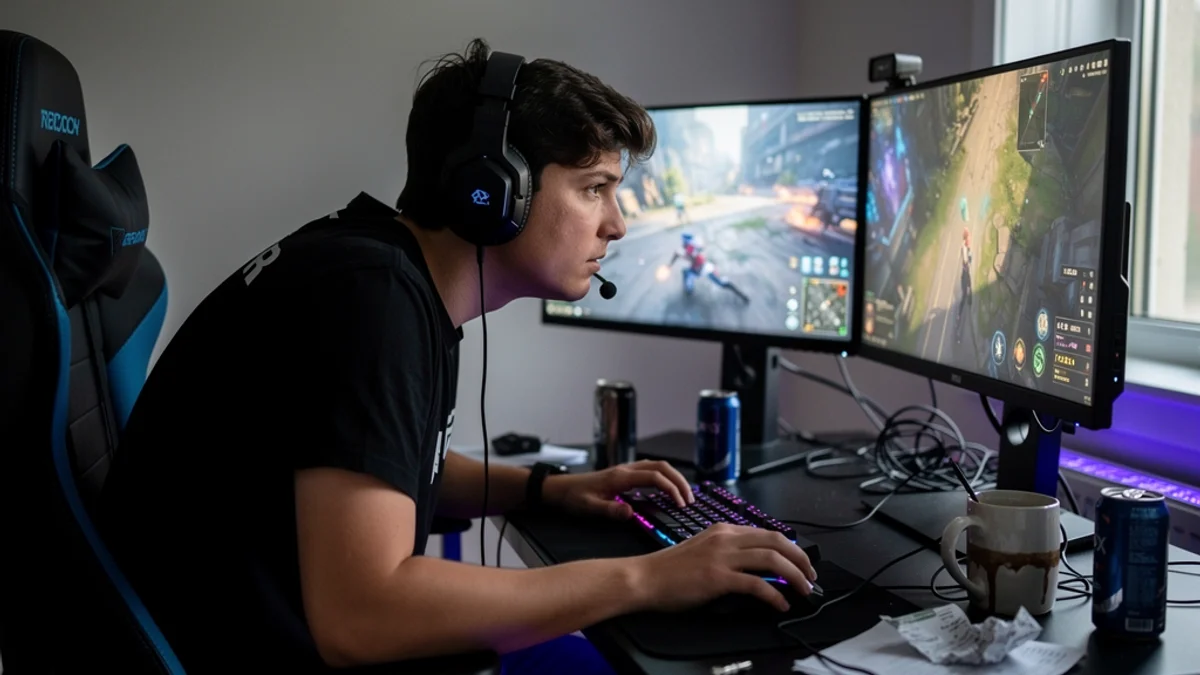
Every gamer knows the lean - the slow creep toward the screen as a match tightens up. Three hours later your neck logs the result. SitApp uses your webcam and on-device AI to catch the slump as it starts, with alerts you can hear over the game instead of popups that cost you a fight.

Free plan stays free · No card · Mac, Windows & Linux
The SitApp Droid catching you mid-lean
The problem

The scoreboard your body keeps

Gaming posture research is younger than office ergonomics, but the numbers it's producing are not subtle:

A gamer in a headset leaning hard toward dual monitors mid-match
73%

of esports players reported pain within the past year, with the spine the most affected region

5.2x

higher odds of musculoskeletal disorders with more than 3 hours of play per day, in a pooled analysis of 62,987 participants

How SitApp helps

Built for the way gamers actually work.

Catches the clutch-moment lean

The forward creep happens mid-fight, when you're least aware of it. SitApp reads your actual position against your calibrated baseline and flags the drift in real time - not on some timer that fires during a boss phase for no reason.

Alerts that don't cost you the round

Pick a sound or a voice nudge you'll hear through your headset, at a volume you control. No forced full-screen interruptions in the middle of a ranked match.

Calibrated to your actual chair

Racing seat, rocker, beanbag disaster - SitApp learns what your good posture looks like in your setup rather than judging you against a stock-photo office worker.

Streaks - the meta-game for your spine

Daily streaks and achievement levels starting at "Slouchy Couchy". You already grind dailies. This one your back collects on.

Platforms

Wherever your rig lives, SitApp runs on it.

Windows

Code-signed installer for Windows 10+. Built to coexist with a game hogging your GPU - detection runs on a lightweight separate thread.

macOS

Direct download or Mac App Store, Intel and Apple Silicon - for the Mac gamers who exist and are tired of being told they don't.

Linux

Native .deb and AppImage. You already got your games running on Linux - posture monitoring just works out of the box.

FAQ

Questions gamers ask us.

Will it interrupt me mid-match?

Not if you don't want it to. Alerts are configurable - a subtle sound or voice cue through your headphones does the job without anything appearing over your game. You choose how (and how much) it nudges.

How much performance does it cost?

Detection runs in its own worker thread and is designed to be lightweight. It does use some CPU - every webcam AI does - but it's a rounding error next to a modern game. If you're chasing every last frame in a competitive shooter, you can pause monitoring with one click and restart it after.

Does it work in a dark room?

It needs to be able to see you, so a pitch-black room with only monitor glow can degrade detection. Most setups have enough ambient light. If yours doesn't, a small lamp behind the monitor fixes it (and your eyes will thank you too).

Is the free tier enough for an evening session?

The free tier covers one hour of monitoring per day, permanently - enough to build the habit and see whether it works for you. Longer sessions are what Pro is for ($3.99/month or $34.99/year).

Rank up your
sitting game.

Free tier, on-device AI, alerts that respect the match. Windows, Mac, Linux.

Download free
No card · Cancel anytime · Free plan stays free