
One profile per setup
Monitor work and tablet work are different postures. SitApp calibrates a profile for each - your upright retouching pose and your good drawing pose - and Pro keeps up to 5 saved at once.
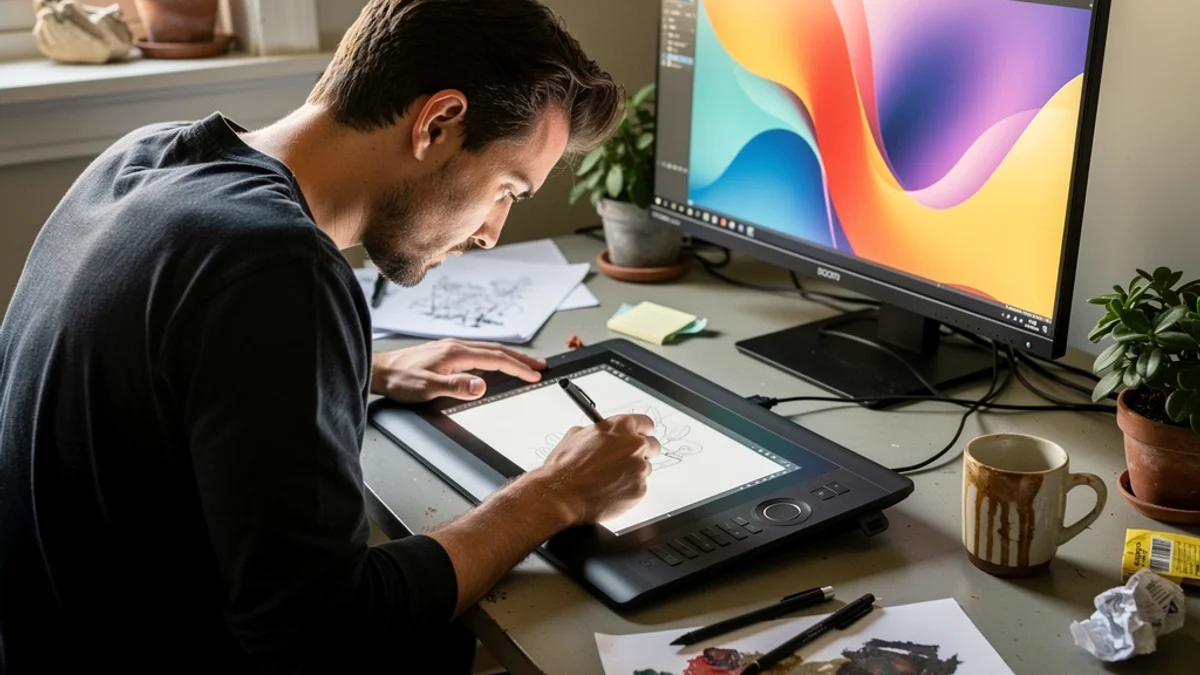
Design work pulls you toward the canvas. You lean in to nudge a curve, drop your head to the tablet, and hold it there for the length of a whole illustration. SitApp watches from your webcam and quietly flags the hunch while it's still a habit, not yet a neck problem.
Creative tools concentrate strain in ways ordinary desk work doesn't - one hand doing thousands of precise movements while the head tips toward a flat surface:
of effective load on the cervical spine when the head drops toward a flat tablet or phone
of repetitive strain injury conditions are accounted for by computer users - and digital creatives are a high-risk group
Monitor work and tablet work are different postures. SitApp calibrates a profile for each - your upright retouching pose and your good drawing pose - and Pro keeps up to 5 saved at once.
It learns what your good working position looks like, then alerts only when you slide out of it. Leaning in for a quick detail pass won't set it off the way a settled-in hunch will.
A soft sound, a voice, or a visual cue - your choice. Gentle enough to keep your flow, clear enough that you actually straighten up.
All detection runs on-device. No images are stored or uploaded, ever - your studio, your reference material, and your half-finished work stay off the internet.
Direct download (notarized) or the Mac App Store. Works alongside Figma, the Adobe suite, and a Cintiq or iPad sidecar setup - anywhere the built-in or a USB webcam can see you.
Code-signed installer for Windows 10+, happy next to a Wacom driver and a colour-calibrated monitor.
Native .deb and AppImage for the Krita and Blender crowd - AI posture detection that doesn't skip Linux.
That's what calibration is for. You teach SitApp your good drawing posture - head angled to the tablet, back supported - and it alerts on drift from that, not from an idealised upright pose. You can train separate profiles for drawing and monitor work.
Yes - any built-in or USB webcam works. If your drawing position takes you out of the laptop camera's frame, a cheap USB camera positioned to see you solves it.
Alerts are configurable in style and intensity - a quiet sound or a small visual cue instead of anything loud. Many designers run the gentler settings during calls and the firmer ones during solo work.
No. Everything is processed on your machine. No images or video leave it - not for training, not for analytics, not for anything. Detection also works fully offline.
Free tier, per-setup calibration, on-device AI. Mac, Windows, Linux.
Download free