
You can usually feel it building. Around mid-afternoon, your shoulders start creeping up toward your ears. By the time you log off, there’s a hot, achy strip running from the base of your neck out toward your shoulder - sometimes both sides, sometimes mostly on your mouse hand. You roll your shoulders, the tension eases for thirty seconds, and then it’s back. By evening, even your t-shirt feels heavy on your traps.
Shoulder pain from sitting at a computer is one of the most common occupational complaints in office work. A 2025 study published in Scientific Reports found that 37.4% of office workers experience shoulder pain - and the two biggest workstation risk factors were chair configuration and mouse position not aligned with the shoulder. A separate study of computer office workers found that 89.9% had scapular dyskinesis (the shoulder blade no longer moving properly) and 82.5% reported concurrent neck and shoulder pain. This isn’t a fluke. It’s what happens when an evolutionary body designed for varied movement spends 8+ hours a day in one chair, with both arms held forward, looking at a screen.
Most of this pain is mechanical. The setup created it, and a different setup - plus a short, specific routine - fixes it. This guide covers what’s going on under your skin, the desk geometry that’s quietly wrecking your shoulders, and a five-minute reset that targets the exact muscles that hurt.
Why Sitting at a Computer Causes Shoulder Pain
Your shoulder isn’t really one joint - it’s a collaboration between the upper arm, the shoulder blade (scapula), the collarbone, and the muscles that anchor the shoulder blade to your spine and ribs. For that collaboration to work, the shoulder blade has to glide smoothly across the back of your ribcage as you move your arm. When it doesn’t, things hurt.
Sitting at a computer disrupts that collaboration in three connected ways.
Your head drifts forward and your upper traps take over. The average human head weighs 4-5 kg. When your ears are stacked over your shoulders, the small, deep neck muscles handle the load. The moment your chin starts inching toward the screen - and it will, especially during focused work or whenever the font feels slightly too small - the load shifts to your upper trapezius. A 2022 study in Scientific Reports found that people with habitual forward head posture show significantly elevated upper trapezius activation, and that excess activity persists even when they return to a neutral position. The muscle has learned to stay on. By 4pm, it’s a hot, hard band that doesn’t switch off.
Your shoulders round and the scapula stops moving properly. Hours of typing and mousing pull your shoulders forward into a protracted position. The chest muscles shorten. The mid- and lower trapezius and the rhomboids - the muscles that should pull your shoulder blades back and down - get long, weak, and silent. Over time, the shoulder blade starts to “wing” or tip forward in a pattern called scapular dyskinesis. The study of 109 computer office workers found this in nearly nine out of ten participants, who averaged 8.5+ hours a day at a computer. Those with more obvious scapular dyskinesis had significantly worse shoulder pain.
One arm gets a worse deal than the other. Most office shoulder pain is asymmetric, and the mouse hand usually loses. A right-handed mouse user reaches further to the right all day - the right upper trapezius fires harder, the right shoulder rolls forward more. The 2025 office-worker study above specifically flagged mouse-not-aligned-with-shoulder as a recurring ergonomic deficiency. Pain mostly on one side? That’s almost always why.
On top of all that, the same research found that job stress independently raised shoulder-pain risk - the average stress score among workers with shoulder pain was 76.6 out of 100, versus 61.0 in pain-free workers. Stressed shoulders sit higher and tighter. Forward-leaning posture, an asymmetric mouse setup, and the kind of stress that makes you grip the mouse like it owes you money - stack those three and you’ve explained most of the pain you’re feeling.

Where the Pain Actually Shows Up
Shoulder pain from sitting isn’t usually one spot. Where it lands tells you quite a bit about what’s gone wrong:
- Top of the shoulder, into the neck. The upper trapezius runs from the base of your skull to the outside of your shoulder. Pain here is the classic “I’ve been at my computer all day” sign - hot, tight, sometimes throbbing, sometimes referring up into a tension headache.
- Between the shoulder blade and the spine. Your levator scapulae and rhomboids live here. When they’re overstretched and under-fed (the standard rounded-shoulder package), they ache deeply, especially after long sitting stretches. Often worse on the mouse side.
- Front of the shoulder. Tight pec muscles and an irritated long head of the biceps tendon show up at the front, sometimes mistaken for “rotator cuff” pain. Common in heavy laptop users who reach forward to type.
- Sharp pain with overhead movement. When the shoulder blade can’t tip and rotate properly because the mid-traps and serratus anterior aren’t firing, overhead reaching pinches the tissues at the top of the shoulder - subacromial impingement, the most common shoulder diagnosis from desk work.
- Burning across both shoulders by mid-afternoon. Upper trapezius fatigue. The muscle has been running a low-grade contraction for six hours and has finally tipped into pain.
If your shoulder pain extends down into the arm with pins-and-needles, wakes you up at night, or comes with loss of strength, that’s worth getting checked by a physio or GP - more on that below. For the majority of desk-induced shoulder pain, the cluster above responds to the same fixes.
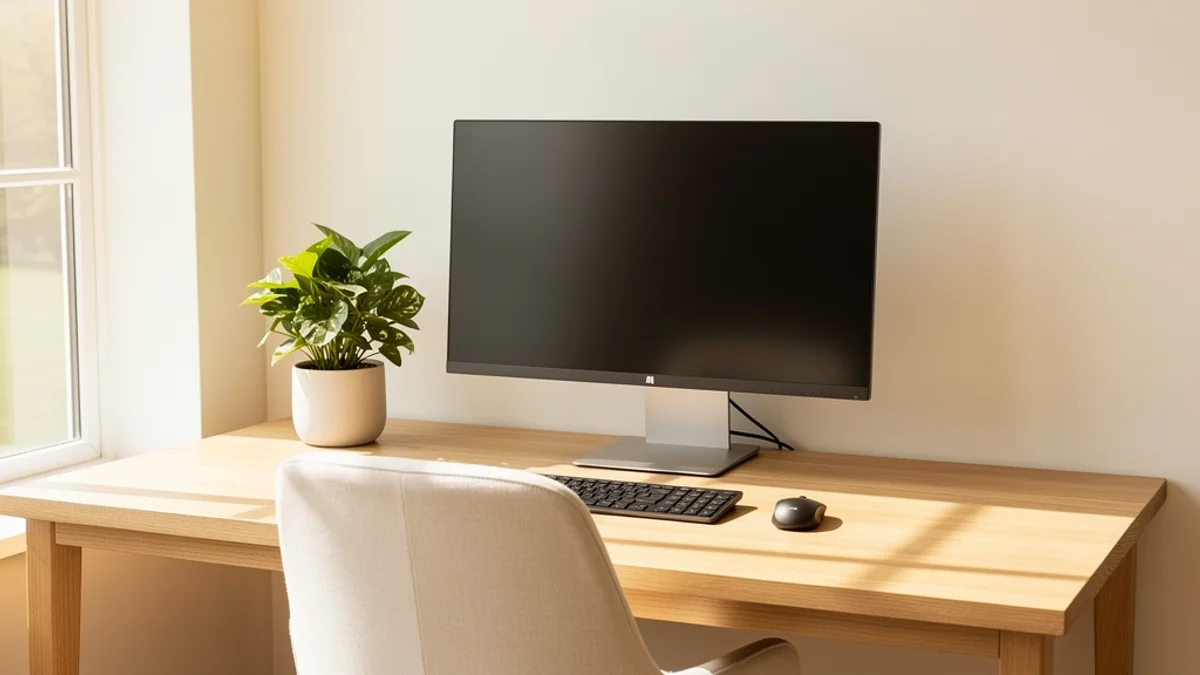
Fix the Setup First (Mouse Position Is Underrated)
Stretches and exercises won’t outrun a desk that’s actively injuring you. Sort the geometry first.
Bring the Mouse Closer
This is the single most underrated shoulder fix. If the mouse sits further to the right (or left, for southpaws) than the keyboard, your mouse arm spends all day reaching outward at the shoulder. That sustained reach is exactly the position the 2025 office-worker study flagged as a top ergonomic risk factor for shoulder pain.
- Pull the mouse in so your elbow stays close to your side, not stretched out
- Consider a tenkeyless or 60% keyboard - removing the numeric keypad lets the mouse sit closer to centre
- A vertical mouse can ease pressure on the forearm and shoulder, though there’s less evidence for shoulder pain specifically than for wrist symptoms
- If you’re laptop-only, an external mouse next to a properly placed keyboard beats reaching for a trackpad on a flat surface
Raise the Monitor
Forward head posture is the upstream cause of most shoulder tension. The fix is the same here as everywhere else: put the screen where your neck doesn’t have to chase it.
- Top of the monitor at or just below eye level
- Roughly an arm’s length away (50-70 cm / 20-28 inches)
- Laptop on a stand (or books, or anything 15-20 cm tall) with an external keyboard
For the full setup, see our work from home ergonomics guide and our deeper dive on forward head posture, which is the mechanism behind most of this.
Sort the Chair
The same study identified chair configuration as the biggest single ergonomic risk factor for shoulder pain - and the specific problem was usually seat height. If your seat is too low, you shrug your shoulders to reach the keyboard. If it’s too high, your elbows hang and your traps load up to support them.
- Feet flat, thighs roughly parallel to the floor, knees around 90 degrees
- Elbows at roughly 90 degrees on the keyboard, shoulders relaxed (not shrugged)
- Sit all the way back so your shoulder blades rest against the backrest
- Adjustable armrests at the right height stop you from holding your arms up all day
Pull the Keyboard In
Reaching for the keyboard does the same damage as reaching for the mouse - it forces your shoulders into a forward, slightly shrugged position they have to hold for hours. Keyboard close, elbows tucked, shoulders down.
For the full ergonomic walkthrough, our proper desk posture guide covers each element in detail.

A 5-Minute Routine for Shoulder Pain From Sitting
With the desk sorted, here’s a short, targeted routine for the specific muscles that hurt. Run it once or twice during the workday, especially after long focus blocks. No equipment needed.
1. Doorway Pec Stretch (1 minute, 30 seconds per side)
Opens the tight chest muscles pulling your shoulders forward.
- Stand in a doorway, forearm against the frame, elbow at 90 degrees
- Step forward gently until you feel a stretch across the front of your chest and shoulder
- Hold 30 seconds per side, breathing slowly
2. Upper Trap Stretch (1 minute, 30 seconds per side)
Direct release for the upper trapezius - the muscle doing the burning.
- Sit tall. Reach one arm down your side so the shoulder drops
- Gently tilt your head to the opposite side and slightly forward, like you’re trying to put your ear toward your collarbone
- Use the other hand to add light pressure - the stretch should be firm but not sharp
- 30 seconds each side
3. Scapular Squeezes (30 seconds)
Reactivates the mid-trap and rhomboid muscles that stop firing after hours of mousing.
- Sit or stand, arms relaxed at your sides
- Squeeze your shoulder blades back and down, as if you’re trying to tuck them into your back pockets
- Hold 5 seconds, release. 10 reps
4. Chin Tucks (30 seconds)
Directly fights forward head posture - the root cause of most upper trap pain.
- Sit or stand tall
- Without tilting your chin up or down, gently glide your head straight back, giving yourself a “double chin”
- Hold 5 seconds, release. 10 reps
It looks ridiculous. Do it anyway.
5. Wall Angels (1 minute)
The single best movement for waking up the entire mid-back/shoulder-blade chain.
- Stand with your back against a wall, feet about 15 cm out
- Press your lower back, upper back, and head to the wall
- Arms in a “goalpost” position - elbows at 90 degrees, forearms against the wall
- Slowly slide arms up and down, keeping contact with the wall
- 10 slow reps
If you can’t keep contact the whole time, that’s your chest and thoracic spine telling you what the problem is.
6. Thread the Needle (1 minute)
A rotational reset for the upper back and shoulder.
- On hands and knees, slide your right arm under your left, palm up
- Let your right shoulder and ear come toward the floor
- Hold 30 seconds, then switch
For a longer daily routine, see our guide to posture exercises for desk workers. If your pain runs into the upper back between the blades as well, the routine in our upper back pain from computer work guide layers on top of this one nicely. And if you’re also getting neck stiffness or tension headaches, our neck pain from desk work guide covers the shared mechanism.

How to Fix Rounded Shoulders (the Underlying Pattern)
Most desk-induced shoulder pain sits on top of the same postural pattern: tight chest, weak mid-back, scapula winging slightly forward. Tackling the pattern - not just the pain - is what stops it coming back. Our how to fix rounded shoulders guide walks through the upper-crossed-syndrome model and the research-backed protocol that reverses it over 4-8 weeks, and pairs well with the routine above.
The Awareness Piece (Why Setup Alone Isn’t Enough)
Here’s what most ergonomics articles skip: a perfect desk doesn’t fix shoulders if you don’t actually use it.
Twenty minutes into a deep focus block, you’ll be hunched forward, mouse hand extended, shoulders up by your ears - because that’s what attention does. The monitor position doesn’t change that on its own. Ergonomics creates the option to have good posture. Staying aware of your body is what turns that into an actual reality.
A few things that actually work for building that awareness:
Movement frequency over movement perfection. The 20-8-2 rule - twenty minutes sitting, eight standing, two moving per half-hour - is a solid framework. The point isn’t the exact numbers; it’s that no single posture lasts an hour.
Body scan habit. Every save, every commit, every page-down, do a one-second check: shoulders away from ears, head over shoulders, mouse close. Pairing the check with something you do constantly is how it becomes automatic.
Posture-aware software. This is part of why I built SitApp - an on-device posture monitor that uses your webcam and local AI to spot when you start slouching, then sends a gentle reminder only when your posture actually slips. Quiet during your good stretches, helpful during the bad ones. No images leave your machine - everything runs locally. (For what to check before installing anything webcam-based, our health app privacy guide covers it.)
Fix the setup, do the short routine once or twice a day, and use something - app, timer, sticky note - to keep posture awareness alive during deep work. Any one of these alone is partial. All three is what actually fixes shoulder pain from sitting and keeps it fixed.
When to See a Professional
Most shoulder pain from sitting is mechanical and responds within 4-6 weeks to the fixes above. According to the NHS shoulder pain guidance, it’s worth seeing a professional if pain hasn’t improved after six weeks of self-care, or if you notice any of the following:
- Sharp, stabbing pain rather than dull aching
- Pain that wakes you up at night
- Loss of strength, range, or coordination in the arm
- Pins-and-needles or numbness running down the arm
- A noticeable lump, swelling, or visible deformity
- Pain following a fall or sudden injury
A physio can pinpoint specific imbalances - a sticky scapula, a tight pec minor, a long-arm trapezius firing pattern - that are hard to spot yourself. And they can rule out the small number of cases where the shoulder pain is something other than the desk.
The Bottom Line
Shoulder pain from sitting at a computer is the predictable result of a head that drifts forward, a mouse that lives too far out to the side, and a shoulder blade that’s stopped moving properly. The 37.4% of office workers dealing with this aren’t unlucky - they’re sitting in the same setup that creates it.
Five things to do:
- Pull the mouse in. Closer than feels natural. Your shoulder pays the cost otherwise.
- Raise the monitor. Top of screen at eye level, full stop.
- Sort the chair. Seat height first - elbows at 90 degrees, shoulders relaxed.
- Do five minutes of targeted work. Doorway stretch, upper trap stretch, scapular squeezes, chin tucks, wall angels, thread the needle.
- Keep posture awareness alive during deep work. Movement breaks, body-scan habits, or a posture-aware tool.
Most desk-induced shoulder pain resolves once you stop creating it.
If you want a quiet, on-device way to keep posture awareness going during focused work, SitApp’s free tier gives you an hour of AI-powered posture monitoring per day, entirely local to your machine. It’s the awareness layer the other four steps need to stick.
