

You know the feeling. You’ve been heads-down in the debugger for three hours, finally closing in on the bug. And somewhere between breakpoints, a dull ache settles in between your shoulder blades - that deep, burning knot right in the middle of your upper back. You roll your shoulders, it eases for ninety seconds, and then it’s back. By the time you push the fix, it feels like someone’s driven a screwdriver into your rhomboids.
Upper back pain from computer work is an occupational injury. For developers especially, the combination of long uninterrupted sessions, dual monitors, laptops on couches, and the kind of flow state that makes two hours feel like ten minutes creates near-perfect conditions for thoracic spine strain. A Scientific Reports study of office workers found that 58.6% experience neck pain and 21.2% report upper back pain specifically, and a separate study of software engineers found that roughly 64% had experienced neck pain at some point in their career.
The good news: unlike a lot of chronic pain, this one is mechanical. Fix the mechanics and the pain goes away. This guide covers exactly why your upper back hurts after a day of coding, how to fix the setup that’s causing it, six targeted exercises for desk workers, and the awareness piece most developers miss.
Why Developers Get Upper Back Pain
Your upper back - the thoracic spine - runs from the base of your neck to the bottom of your ribcage. It’s naturally the most rigid section of your spine, designed for stability rather than mobility. That rigidity is great for protecting your heart and lungs, but it also means the upper back doesn’t tolerate sustained bad positions well. It just gets angry and stays angry.
Here’s what’s happening during a typical coding session:
Your head drifts forward. The average human head weighs 10-12 pounds. When your ears are directly over your shoulders, the muscles of your upper back handle that load with almost no effort. But as your head tilts forward to get closer to the screen - and it will, especially when you’re staring at small text or complex diff views - the effective load increases dramatically. At a 45-degree forward tilt, your upper back muscles are essentially supporting a 50-pound head. All day.
Your shoulders round. Hours of typing, mousing, and reaching for your keyboard pull your shoulders forward into a protracted position. This shortens your chest muscles (pecs, anterior deltoids) and overstretches the muscles between your shoulder blades (rhomboids, middle and lower trapezius). The stretched muscles are the ones that end up screaming at you.
Your thoracic spine flexes. As your shoulders round and head drifts forward, your mid-back curves into a hunch - a position called thoracic kyphosis. The natural curve of your thoracic spine deepens, compressing the fronts of your vertebrae and overloading the muscles that are supposed to hold you upright.
The muscles never get to rest. Unlike walking or standing, sitting in a hunched position puts your upper back muscles in a low-grade, sustained contraction. They never fully relax and never fully fire. They just sit there, fatigued, inflamed, and eventually painful.
Developers have a few job-specific risk factors on top of this. Laptops are lower than monitors, which makes head-forward posture nearly unavoidable unless you use an external setup. Multi-monitor rigs often force neck rotation to one side for hours. Deep work sessions where you forget to move are a feature of the job, not a bug. And the flow state that makes coding productive also makes you oblivious to discomfort until it’s screaming.

Symptoms: What Upper Back Pain From Computer Work Actually Feels Like
Upper back pain from coding doesn’t usually show up as a single sharp pain. It’s a cluster of symptoms that creep in and compound. Here’s what to watch for:
- Aching between the shoulder blades - the most common complaint. Feels like a knot or a hot spot, usually on one side or both
- Burning across the upper traps - the muscles running from your neck to your shoulders feel tight, hot, and tender to touch
- Stiffness when you stand up - your mid-back feels locked, and taking a full deep breath feels slightly restricted
- Dull pain radiating to the neck or chest - the upper back is connected to everything above it, so pain often spreads
- Tension headaches - starting at the base of the skull and wrapping around the head
- Numbness or tingling down the arms - in more advanced cases, pinched nerves from thoracic compression can cause referred symptoms
If you’re getting sharp, stabbing pain, loss of strength in your arms, or pain that wakes you up at night, that’s worth a conversation with a physio or GP. For most developers, all of the above clears up with the same basic fixes.
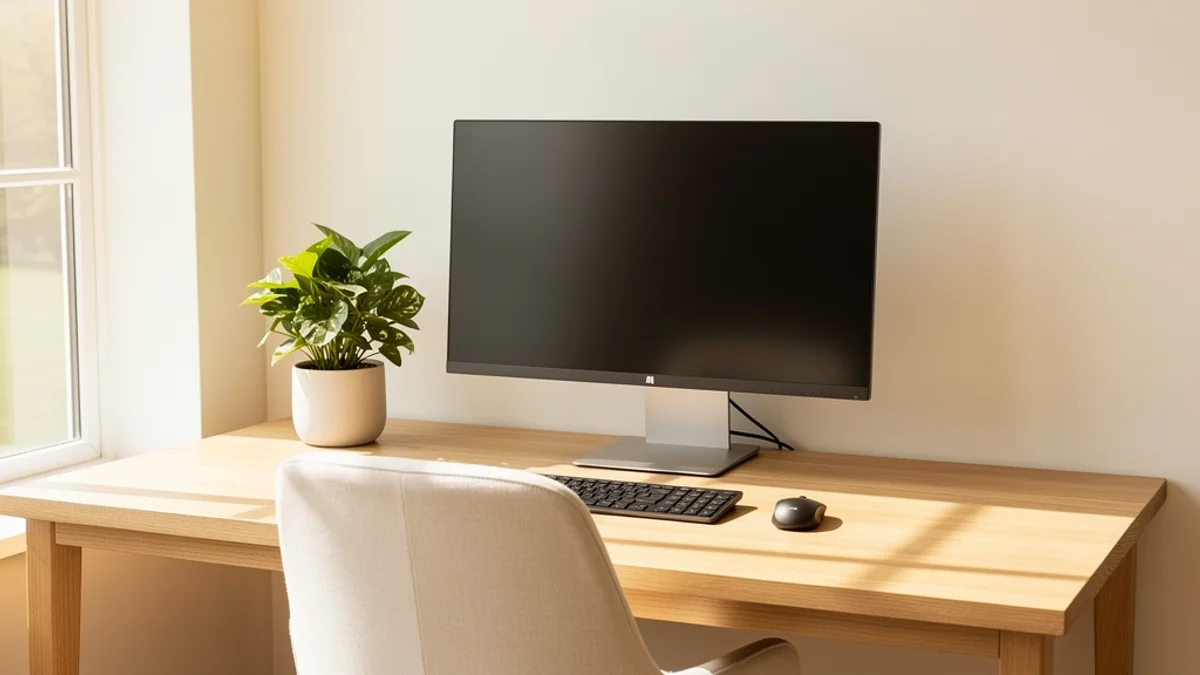
Fix Your Setup First
Before you do a single stretch, fix the physical environment. You cannot stretch your way out of a desk that’s actively injuring you. According to the Mayo Clinic’s ergonomics guide, a few key adjustments eliminate most posture-induced upper back strain.
Monitor Height Is Non-Negotiable
The single biggest cause of developer upper back pain is monitor height. If the top of your screen isn’t roughly at eye level, your neck will drift forward and your upper back will hunch to meet it. No exceptions.
- The top of your monitor should be at or slightly below eye level
- The screen should be roughly an arm’s length away (50-70cm / 20-28 inches)
- If you use multiple monitors, centre the one you use most directly in front of you
Laptop-only users have a particular problem here: the screen and keyboard are attached, so getting one at the right height always puts the other wrong. The fix is simple and cheap. Get a laptop stand or stack of books to raise the screen to eye level, then add an external keyboard and mouse. You can read more in our work from home ergonomics guide, but this one change alone fixes more upper back pain than anything else.
Chair Setup
Your chair should support your back without you having to think about it:
- Seat height: feet flat on the floor, thighs parallel to the ground, knees at roughly 90 degrees
- Backrest: supports the natural curve of your lower back; sitting all the way back so your shoulder blades can rest against the chair
- Armrests: elbows at roughly 90 degrees, shoulders relaxed (not shrugged up)
- Lumbar support: if your chair doesn’t have it, a rolled towel in the small of your back works fine
Bad lumbar support is an underrated cause of upper back pain. When your lower back collapses, the upper back compensates by rounding even further to keep your eyes level with the screen.
Keyboard and Mouse Position
Reaching for your keyboard or mouse pulls one or both shoulders into a forward, rounded position:
- Keep the keyboard directly in front of you, close enough that your elbows stay at your sides
- Mouse should be right next to the keyboard, not stretched out to the right
- If you use a numeric keypad rarely, consider a tenkeyless keyboard to bring the mouse closer
For a deeper walkthrough of the full setup, see our proper desk posture guide.

6 Exercises for Upper Back Pain From Computer Work
With the setup sorted, here’s a short, specific routine for the upper back. You don’t need equipment, and the whole thing takes under five minutes. Do it once or twice during the workday, especially on long coding days.
1. Wall Angels (1 minute)
The single best exercise for reversing rounded shoulders and hunched upper back.
- Stand with your back against a wall, feet about 15cm / 6 inches from the wall
- Press your lower back, upper back, and head against the wall
- Raise your arms into a “goalpost” position - elbows at 90 degrees, forearms against the wall
- Slowly slide your arms up and down, keeping contact with the wall
- Do 10 slow reps
If you can’t keep contact with the wall the whole time, that’s your thoracic spine and chest telling you what needs work.
2. Chin Tucks (30 seconds)
Directly counteracts forward head posture.
- Sit or stand tall
- Without tilting your chin up or down, gently pull your head straight back, giving yourself a “double chin”
- Hold for 5 seconds, release
- Repeat 10 times
It feels a bit stupid. Do it anyway - your rhomboids and deep neck flexors will notice the difference.
3. Scapular Squeezes (30 seconds)
Reactivates the muscles between your shoulder blades that stop firing after hours of mousing.
- Sit or stand with your arms at your sides
- Squeeze your shoulder blades together and down, as if trying to tuck them into your back pockets
- Hold for 5 seconds
- Repeat 10 times
4. Doorway Chest Stretch (1 minute)
Opens up the tight chest muscles that pull your shoulders forward.
- Stand in a doorway with your forearm against the frame, elbow at 90 degrees
- Step forward gently until you feel a stretch across your chest and front shoulder
- Hold for 30 seconds per side
5. Thoracic Extensions (1 minute)
Restores the mobility your mid-back loses from sitting.
- Sit in your chair with a towel roll placed behind your mid-back
- Interlace your fingers behind your head, elbows wide
- Gently lean back over the roll, extending through your upper back
- Hold for 3 seconds, return to neutral
- Repeat 8 times
6. Cat-Cow (1 minute)
A full-spine mobility reset that also stretches the chest and activates the mid-back.
- On hands and knees, start in a neutral “tabletop” position
- Cow: drop your belly, lift your chest and tailbone, look slightly forward
- Cat: round your upper back toward the ceiling, drop your head, tuck your tailbone
- Move slowly through 8-10 cycles
For a longer routine, see our guide to posture exercises for desk workers. If your pain also runs down into your lower back, it’s worth reading our lower back pain from sitting guide too - they often show up together.
The Piece Most Developers Miss
Here’s the honest truth that most ergonomics articles skip: a perfect desk setup doesn’t fix posture if you don’t actually use it.
You can have the best chair in the world, a perfectly positioned monitor, and a nicely organised keyboard setup - and then, twenty minutes into a debugging session, you’ll be slumped over the keyboard with your nose six inches from the screen. That’s just what happens when your brain is occupied. Ergonomics sets you up to have good posture. Staying aware of your body is what actually keeps it.
There are a few ways to build that awareness:
Timed reminders. A simple Pomodoro timer or tools like Stretchly prompt you to check in every 20-30 minutes. The 20-8-2 rule (20 minutes sitting, 8 standing, 2 moving) is a solid framework. The downside: it interrupts flow, and most developers eventually start dismissing the reminders.
Body scan habit. Every time you save a file or commit code, do a three-second check: head over shoulders, shoulders back and down, mid-back long. Pairing the check with something you already do means it actually happens.
Posture-aware software. This is why I built SitApp - an on-device posture monitor that uses your webcam and local AI to detect when you start slouching. It sends a gentle reminder only when your posture actually slips, so it stays quiet during your good stretches and speaks up when you need it. No images leave your machine - everything runs locally. (Privacy is a big deal for this kind of tool; our health app privacy guide covers what to check before installing anything webcam-based.)
The combination that works: fix the setup, do the short exercise routine once or twice a day, and use something - an app, a timer, or a buddy - to keep posture awareness live during deep work. Any one of those alone will make a dent. All three together is what actually shifts the pattern.

When to See a Professional
Upper back pain from computer work is almost always mechanical and responds to the fixes above within two to four weeks. If it doesn’t, or if you notice any of the following, it’s worth seeing a physiotherapist or GP:
- Pain that wakes you up at night
- Sharp, stabbing pain rather than dull aching
- Loss of strength or coordination in your arms or hands
- Pins and needles that don’t resolve after moving
- Pain that radiates around your chest (rule out non-musculoskeletal causes)
- Pain that lasts longer than six weeks despite consistent effort
A physio can identify specific muscle imbalances or mobility restrictions that are hard to spot yourself. They can also flag the rare cases where the pain is a symptom of something more serious.
The Bottom Line
Upper back pain from computer work isn’t just a side effect of the job. It’s the predictable result of hours spent in a position your thoracic spine wasn’t designed for, with a forward-tilted head and rounded shoulders pulling everything out of alignment.
The fix is genuinely simple, if not always easy:
- Raise your monitor. Top of the screen at eye level, external keyboard if you’re on a laptop
- Fix your chair. Feet flat, lumbar supported, shoulders relaxed against the backrest
- Pull the keyboard in. Elbows at your sides, not stretched forward
- Do five minutes of targeted exercises. Wall angels, chin tucks, scapular squeezes, chest stretches
- Stay aware of your posture during deep work. Timers, habits, or posture-aware software
Do those five things consistently for a few weeks and most upper back pain from coding clears up on its own. The cases where it doesn’t are usually the ones where only three of the five actually got done - setup without exercises, or exercises without any awareness habit to keep posture honest during deep work.
All five. Your future self - the one still writing code at 60 without needing a daily massage - will thank you.
If you want a lightweight way to keep posture awareness going during deep work, SitApp’s free tier gives you an hour of AI-powered posture monitoring per day, entirely on-device. It’s what I use, and it’s what started this whole project in the first place.
