

Programming is one of the few jobs where you can lose four hours to a bug, look up, and realise your shoulders are somewhere near your ears, your chin is six inches from the screen, and your right wrist has been bent at the same wrong angle the entire time. The job rewards focus. The body punishes it.
That focus tax shows up in the data. A 2025 study in Scientific Reports found that 80.81% of office workers had musculoskeletal pain in the past year - 58.6% in the neck, 52.5% in the lower back, 21.2% in the upper back. A study of 185 software engineers in Karachi found that 64.32% had a previous history of neck pain, with 26.5% reporting active pain on the day they were surveyed. And among Chinese office workers in a 2017 cross-sectional study, 86.3% reported neck pain and 75.5% reported lower back pain - with 71.5% reporting both. The pattern is clear: long screen hours plus a sub-optimal setup plus rare movement equals predictable, preventable pain.
None of these fixes are complicated. They just don’t get applied consistently. This guide covers the posture tips for developers that actually hold up to ten-hour sessions, dual monitors, and the kind of flow state where you forget you have a body. Setup, position, breaks, exercises, and the awareness piece most ergonomics articles skip.
Why Developers Need Their Own Posture Playbook
Most desk-ergonomics advice was written for office workers in the abstract sense - someone sending emails, opening spreadsheets, taking calls. Programming is a different physical job for a few reasons:
- Sessions are longer. Knowledge-work tasks take time. A senior dev solving a tricky distributed-systems bug might not stand up for three hours - and won’t notice it until they do.
- Flow states suppress discomfort. When your brain is fully loaded on a problem, it stops sending you the gentle “your shoulders are tight” memos. You only get the loud message later.
- Monitor setups are bigger. Two, three, sometimes four screens means more head rotation, more reaching, and more opportunity for lopsided posture habits.
- Laptops are the default. Most devs work on a laptop at least some of the time, and laptops force a binary choice between bad screen height and bad keyboard height. You can’t have both right without an external setup.
- Late-night sessions are normal. Tired, slumped-on-the-couch coding compounds whatever your daytime setup was already doing wrong.
So generic ergonomics tips (“take breaks!”) don’t really land. The tips below are specifically tuned for how programmers actually work.
Tip 1: Fix the Setup Before Anything Else
You can’t stretch or willpower your way out of a desk that’s actively injuring you. Setup comes first. The good news: nailing it is mostly a one-afternoon job.
Monitor Height: Top of Screen at Eye Level
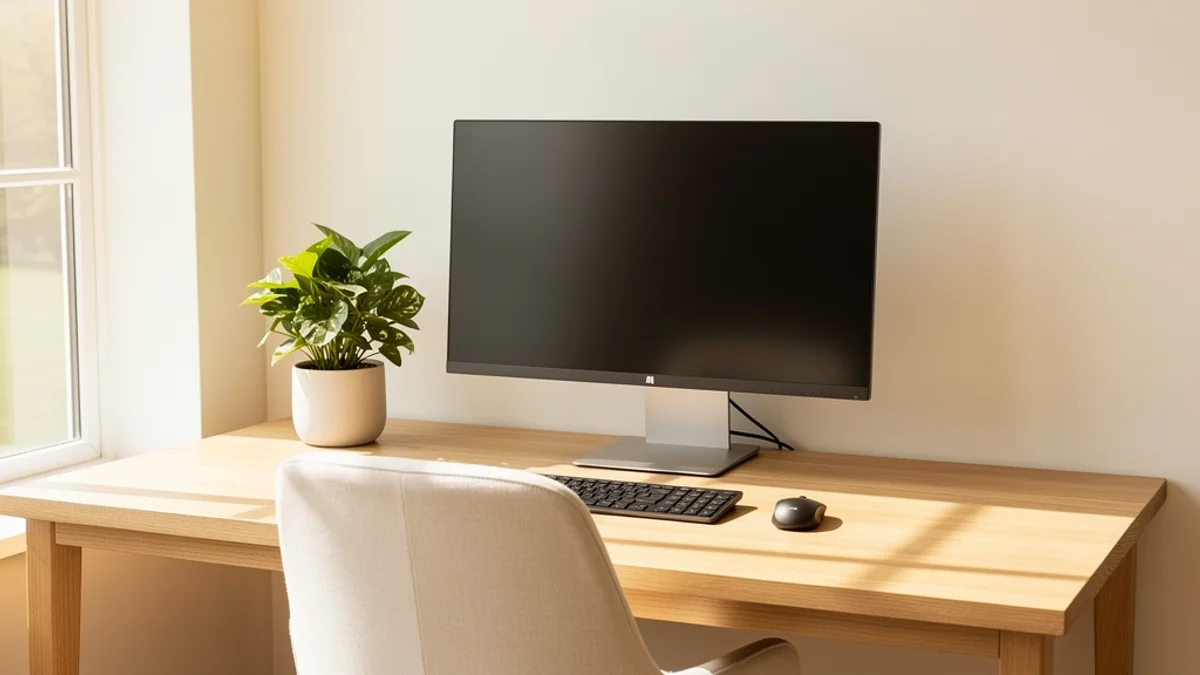
This is the single biggest one. The top edge of your main monitor should sit at or slightly below your eye level when you’re sitting upright. If it’s lower, your neck drifts forward to meet it - the classic developer hunch. The OSHA computer workstation guidelines put it the same way: “Top of monitor at or just below eye level.”
For laptop users this is non-negotiable. A laptop screen sitting on a desk is roughly eight inches too low for most adults. Get a laptop stand, a stack of books, or even a sturdy box - anything that puts the top of the screen at eye level. Then add an external keyboard and mouse, because raising the laptop also raises the keyboard out of position.
If you run dual monitors, centre the one you actually use most directly in front of you. The “two equal-sized monitors symmetrically placed” setup looks balanced but forces constant neck rotation. Pick a primary, put it dead centre, and let the second monitor live to one side for reference material.
Chair: Not the Most Expensive, the Most Adjustable
You don’t need a four-figure Herman Miller. You need a chair you can adjust. Aim for:
- Feet flat on the floor. If your chair won’t go low enough, get a footrest. Dangling feet load your hamstrings and pull your pelvis into a slouch.
- Hips slightly higher than knees. A small downward tilt of the seat opens up your hip angle and makes upright sitting easier.
- Lumbar support in the small of your back. If the chair has it, adjust until it pushes gently into your lower-back curve. If it doesn’t, a rolled towel or a £15 lumbar cushion does the same job.
- Arms supported at roughly 90 degrees. Shoulders relaxed, not shrugged up to reach the keyboard. If your armrests are too high, they push your shoulders into a cramp; too low and you’ll hover your arms all day.
The “90-90-90 rule” - 90 degrees at hips, knees, and elbows - is a useful starting point, but treat it as a centre of gravity, not a cage. Real human bodies need to fidget.
Keyboard and Mouse: Pull Them In
Reaching forward for your keyboard or mouse pulls your shoulders into a rounded, protracted position - the exact thing you’re trying to avoid.
- Keyboard directly in front of you, close enough that your elbows can stay at your sides.
- Mouse right next to the keyboard, not stranded out to the right past a numeric keypad. If you rarely use the numpad, a tenkeyless or 60% keyboard frees up real estate.
- Wrists straight, in line with your forearms. Don’t use the kickstands on the back of conventional keyboards - they tilt the keyboard up and force your wrists into extension, which is a known contributor to RSI.
A vertical mouse, a split keyboard, or a trackball are all worth experimenting with if you’re already feeling wrist or forearm strain. They’re not magic, but they break the repetitive pattern that’s driving the irritation. The developer Victoria Drake writes well about her own RSI recovery and what changed it.
For a deeper walkthrough of setup, see our guide to the best desk setup for posture.
Tip 2: Sit Like You Mean It (But Not All the Time)
Once the setup is right, your job is to actually use it. The basics of upright sitting:
- Sit all the way back in the chair so your shoulder blades can rest against the backrest.
- Stack your ears over your shoulders. Imagine a string pulling the crown of your head toward the ceiling - it should lengthen the back of your neck, not crank your chin up.
- Drop and back with the shoulders. Not pinned, not hunched - just consciously letting them release down and back.
- Keep the chest open. A subtle lift in the breastbone undoes a lot of accumulated rounding.
But here’s the bit most posture advice gets wrong: there is no perfect static position. Even “good” posture, held for hours, becomes a problem because muscles work best when they vary their load. The OSHA guidance is honest about this - it explicitly says “there is no single ‘correct’ posture or arrangement” that works for everyone, and recommends short, frequent position changes over fixed alignment. The aim is not statue-still ergonomic perfection. It’s frequent gentle movement around a generally upright neutral.
Practically, that means cycling through three or four “good enough” sitting positions during the day, throwing in some standing time, and not feeling guilty when you cross a leg or lean back for a few minutes. Just don’t park yourself in any one slumped position for an hour.

Tip 3: Treat Breaks Like Compile Steps
Every developer accepts that the compiler needs to run. Physical resets get treated as optional. They’re not.
The 20-8-2 rule works well here: in every 30-minute block, sit for 20 minutes, stand for 8, move for 2. You can adjust the ratio - some devs prefer 50/10 or strict Pomodoro 25/5 - but the principle is fixed. Movement every half hour, ideally with a position change.
Things that genuinely help during the “move for 2 minutes” slot:
- Stand up and walk to the kitchen for water. This single habit hydrates you and forces a position change at the same time.
- Look out a window for 20 seconds. Lets your eye muscles relax (the 20-20-20 rule for eye strain). Bonus posture reset because you have to lift your head.
- Do one developer-friendly stretch (see Tip 4).
- Do a chin tuck and a shoulder roll at your desk. Takes seven seconds.
Hoping you’ll remember does not work. You won’t. Use a timer, a Pomodoro app, a break-reminder tool, or the system clock. If you can’t get into the habit, SitApp and similar tools can flag both slouching and prolonged sitting for you - more on that in Tip 6.

Tip 4: A 5-Minute Routine That Actually Targets the Coder Body
Most generic stretching routines waste time on bits that aren’t your problem. The developer body has predictable issues: tight chest, weak mid-back, tight hip flexors, stiff thoracic spine, cranky wrists. This routine hits all of them in five minutes:
1. Chin Tucks (30 seconds)
Counters forward head posture. Sit tall, draw your head straight back to make a double chin (no tilting), hold for five seconds, repeat ten times. Looks ridiculous, works brilliantly.
2. Doorway Chest Stretch (1 minute)
Opens up tight pecs from hours of typing. Forearm against a doorway at 90 degrees, step gently forward until you feel a stretch across your chest. 30 seconds per side.
3. Scapular Squeezes (30 seconds)
Wakes up the rhomboids and mid-trap muscles between your shoulder blades. Squeeze your shoulder blades together and down (think tucking them into your back pockets), hold five seconds, repeat ten times.
4. Thoracic Extension Over the Chair (45 seconds)
Reverses the hunch. Sit on the front half of your chair, place hands behind your head with elbows wide, and gently lean back over the chair top, extending your upper back. Slow and small - five reps.
5. Standing Hip-Flexor Stretch (1 minute)
Eight hours of sitting shortens your hip flexors, which pulls your pelvis forward and your lower back into hyperextension. Half-kneel with one knee on the floor (a cushion helps), tuck your tailbone, and gently push your hips forward. 30 seconds per side.
6. Wrist Mobilisation (30 seconds)
Arm out straight, palm up. Use the other hand to gently pull your fingers back, hold ten seconds. Then palm down, fingers pulling toward you, hold ten seconds. Both wrists.
For a more thorough routine, see our posture exercises for desk workers guide. Once or twice a day is usually enough.
Tip 5: Watch Out For the Developer-Specific Hazards
A few patterns are unusually common in developers and deserve their own warning:
The Couch-Coding Cycle
Working on a laptop on the couch for “just an hour” is the position that does the most damage per minute. Screen too low, neck cranked forward, lumbar spine in full kyphosis, often one shoulder higher than the other. If you do this regularly, get a lap desk and an external keyboard, or - genuinely - move to a real desk. Our laptop on couch problem section has more on this.
The Mechanical-Keyboard Trap
Loud, clacky keyboards are wonderful, but the heavy switches and tall key heights can stress your wrists if you bottom out hard on every keystroke. Type with intent rather than force, use a wrist rest only as a rest between typing (not while typing), and consider a lower-profile switch if you’re getting forearm pain.
The Dual-Monitor Side-Twist
Two monitors symmetrically placed in front of you sounds great until you notice you’ve spent six hours with your head turned 25 degrees to the right because that’s where your IDE lives. Pick a primary monitor, centre it, and treat the second one as a reference window.
The Late-Night Slouch
Your good posture from 9 a.m. is long gone by 11 p.m. Tiredness collapses everything. If you’re going to code late, take that as a signal to be even more deliberate about position changes - and consider whether the after-midnight session is actually productive or just feels like it.
The Hands-Forearms-Wrists Chain
Programmers are at meaningfully higher RSI risk than most office workers. The same Wikipedia overview cited above notes the long-running rise of upper-limb RSI tied to keyboard-heavy work. If you’re noticing tingling, weakness, or pain in your hands or forearms, treat it as a real warning, not a minor nuisance. Adjust your setup, vary your input devices, and see a physiotherapist if it doesn’t resolve within a couple of weeks.

Tip 6: The Awareness Piece Most Articles Skip
You can have a perfect setup, a great chair, and a five-minute exercise routine - and still slowly slump over the keyboard the moment your brain locks onto a problem. The setup gives you a fighting chance. Awareness is what actually keeps you upright when a problem has your full attention.
A few approaches that work for developers specifically:
Anchor a check to something you already do. Every git commit, every build, every “I’ll just refactor this one function” - use it as a posture cue. Three seconds of: head over shoulders, shoulders down and back, mid-back long. Pairing the check to a habit you already have makes it reliable.
Use a body-scan timer. Set a phone or watch timer for every 30 minutes. When it goes off, do a quick scan: feet flat? Hips back? Shoulders down? Chin tucked? Adjust whatever’s wrong. Reset the timer.
Use posture-aware software. This is the niche I built SitApp to fill, and it’s why I’m biased: a posture-aware tool can watch your actual position via webcam, run the AI fully on-device, and only nudge you when you actually slouch - not on a fixed schedule. That stays out of your way during good stretches and speaks up during bad ones. Privacy matters here; everything in SitApp runs locally and no images leave your machine. If you’re considering any webcam-based wellness tool, our health app privacy guide lays out what to check first.
Stand for the hard thinking. Many developers find the slow, abstract parts of programming - architecture decisions, debugging by hypothesis, reading documentation - go better standing, while heads-down typing is fine seated. Worth testing for a week to see if it holds for you.
What tends to stick is a setup that’s roughly right, a short daily routine that hits the predictable problem areas, and one awareness mechanism that keeps posture live during deep work. Any one of those helps. Missing any one of them is usually why things don’t improve.
FAQ
What is the best sitting posture for developers?
Feet flat on the floor, hips slightly higher than knees, lower back supported, shoulders relaxed and back, ears stacked over shoulders, top of monitor at eye level. The “90-90-90 rule” - 90 degrees at hips, knees, and elbows - is a good baseline. But more important than any single position is varying it gently throughout the day rather than freezing in one spot.
How often should programmers take breaks?
Aim for a position change every 20-30 minutes and a real movement break every hour. The 20-8-2 rule - 20 minutes sitting, 8 standing, 2 moving - works well for most coders. Pair break reminders with something you already do (commit, build, test run) to make them reliable.
Is a standing desk better for developers?
Standing all day is no better than sitting all day - both fixed positions cause problems. The benefit of a standing desk is that it makes switching cheap. A 1:1 to 1:3 sit-to-stand ratio is a useful target. See our deeper take in standing desk vs sitting.
What chair is best for software developers?
The chair you can fit to your body. Adjustable seat height, lumbar support, adjustable armrests, and a backrest that follows your spine matter more than brand or price. A £200 chair you’ve adjusted properly will out-perform a £1,500 chair you’ve never tweaked.
Can good posture really prevent back pain in developers?
For most developers, yes. The Karachi software engineer study found that uncomfortable workstations and physical inactivity were among the strongest predictors of current neck pain. Most developer back, neck, and shoulder pain is mechanical - caused by sustained bad positions and lack of movement - and responds well to setup fixes plus regular movement.
How do I stop slouching while coding?
The honest answer: you won’t stop completely with willpower alone, because slouching happens when your attention is elsewhere. The reliable approach is layered - fix the setup so good posture is the path of least resistance, build a posture-check habit attached to actions you already perform, and use a timer or posture-aware tool to keep awareness live. See our how to stop slouching at desk guide.
The Bottom Line
Programming is genuinely rough on the body. Long sessions, deep flow, dual monitors, and laptop-on-couch culture all push you into the same bad positions for hours at a time. The musculoskeletal data on office and computer workers makes that plain. The fixes, though, are well-understood and you can get most of them in place this week.
- Fix the setup. Top of monitor at eye level, chair adjusted to fit, keyboard and mouse pulled in close.
- Sit upright, but don’t freeze. Vary your position around an upright neutral instead of holding one “perfect” pose.
- Treat breaks like compile steps. A real movement break every 30-60 minutes, not “when I get a chance.”
- Run the 5-minute routine. Chin tucks, chest stretch, scapular squeezes, thoracic extension, hip flexors, wrists.
- Watch the developer hazards. Couch coding, late-night slumping, dual-monitor head twist, RSI warning signs.
- Layer in awareness. Habit anchors, timers, or posture-aware software so good posture survives flow state.
Do those for a few weeks and the predictable aches tend to fade. Skip any one of them and the gap usually shows up exactly where you skipped.
If you want a low-friction way to keep posture awareness running during deep work without thinking about it, SitApp’s free tier gives you an hour of on-device AI posture monitoring per day. It’s what I use, and it’s how this whole project started in the first place.
Curious how the app maps to a developer’s setup specifically - Linux support, docked laptops, performance next to a compile? That’s covered on the posture app for developers page.
