

There is a posture every student knows even if they have never named it. You sit down to study upright and organised, textbook open, notes squared off, the best intentions in the world. Four hours later your laptop has crept toward your face, your chin is dropped toward the page, your spine has curled into a comma, and one elbow is propping up a head that suddenly feels very heavy. You got the reading done. Your lower back is filing a grievance.
The data says this is close to universal. A 2023 study of 1,392 post-secondary students in Canada found the one-week prevalence of low back pain ranged from 60.9% to 69%, and neck pain from 45.4% up to 76.9% depending on the program. A separate 2023 survey of 536 undergraduates in Saudi Arabia found that in the previous seven days alone, 66% reported neck pain, 61% lower back pain, and 57% shoulder pain. These are not middle-aged office workers with decades of desk time behind them. They are eighteen-to-twenty-two-year-olds, and the majority of them already hurt.
Most ergonomics advice aimed at students is just office-desk guidance with the word “student” pasted on. But you do not work at an office desk. You study on a dorm bed, at a wobbly library table, on the floor with a laptop, in a lecture hall, on a train. This guide is about posture that survives where students actually study - and about the one thing that keeps it alive past hour two, when willpower has gone to sleep.
Why Students Get Their Own Posture Problem
A working professional and a full-time student can rack up the same number of seated hours and end up with different aches. The conditions are not the same, and neither is the geometry.
- You study everywhere except a proper desk. A salaried desk worker at least gets a chair, a monitor, and a surface at a sensible height. A student studies on a bed with a laptop on their thighs, hunched over a coffee table, or folded into a library chair built for everyone and therefore no one. The geometry is bad before you have read a word.
- The laptop is the whole setup. For most students the laptop is the only computer they own, and a laptop is an ergonomic compromise by design - screen and keyboard welded together, so when the keys are reachable the screen is far too low. You spend the session looking down.
- Cram sessions are brutally long. Nobody studies for twenty-five minutes. Exam season turns into six-, eight-, ten-hour marathons fuelled by deadline panic, and the body holds one collapsing position the entire time.
- The phone is the second study tool. Notes, flashcards, group chats, a “quick break” that lasts forty minutes - all of it happens with the head tipped down over a phone. That adds neck-flexion hours on top of the laptop ones.
- Nobody taught you any of this. Office workers occasionally get an ergonomics assessment. Students get a reading list and a room. The skills that protect your back over a decade of desk work are simply not on the syllabus.
Generic advice to “sit up straight and take breaks” was written for an office desk. The fixes below are built for dorm rooms, library tables, and laptops.

The Hunch Trap: What Looking Down at a Laptop Does to Your Neck
Start with the biggest problem. The mechanics are genuinely startling once you see them.
Your head weighs roughly 10 to 12 pounds sitting balanced over your shoulders. Tip it forward and the effective load on your neck climbs fast. According to the Cleveland Clinic, a slight glance down turns your head into the equivalent of a 27-pound weight; at a deeper tilt it feels like about 40 pounds; and dropped right forward “you may put upwards of 60 pounds of force on your neck.” Hunching to see a screen also rounds the shoulders, and over time the clinic warns of “cervical disks in your spine degenerating because of that forward head posture.” (The exact poundage comes from a biomechanical model, not a clinical guarantee - but the direction is real, and a laptop flat on a low surface is exactly the kind of sustained forward flexion it describes.)
Now picture a typical study posture: laptop on the desk or on your lap, head bent down to read it, held there for hours. That is not a glance - it is deep, sustained neck flexion held through an entire session, day after day in exam season. This is the student version of tech neck, and the phone makes it worse. That 2023 Saudi study found that using a mobile device with both hands and “a large neck tilt below the horizon line” was associated with a substantially raised risk of musculoskeletal pain - an odds ratio of 2.28 compared with better positioning. Students do that for hours, then call it a break.
Stop looking straight down. Get the screen up toward your eyeline and you remove most of the load. Everything in the next section is how to do that wherever you happen to be studying.
Fix the Laptop First (Because It’s Your Whole Setup)
You cannot out-stretch a screen that drags your head down for eight hours. Geometry first, and for students that means fixing the laptop.
Raise the Screen, Add a Keyboard
Screen and keyboard on a laptop cannot both be in the right place at once. Separate them.
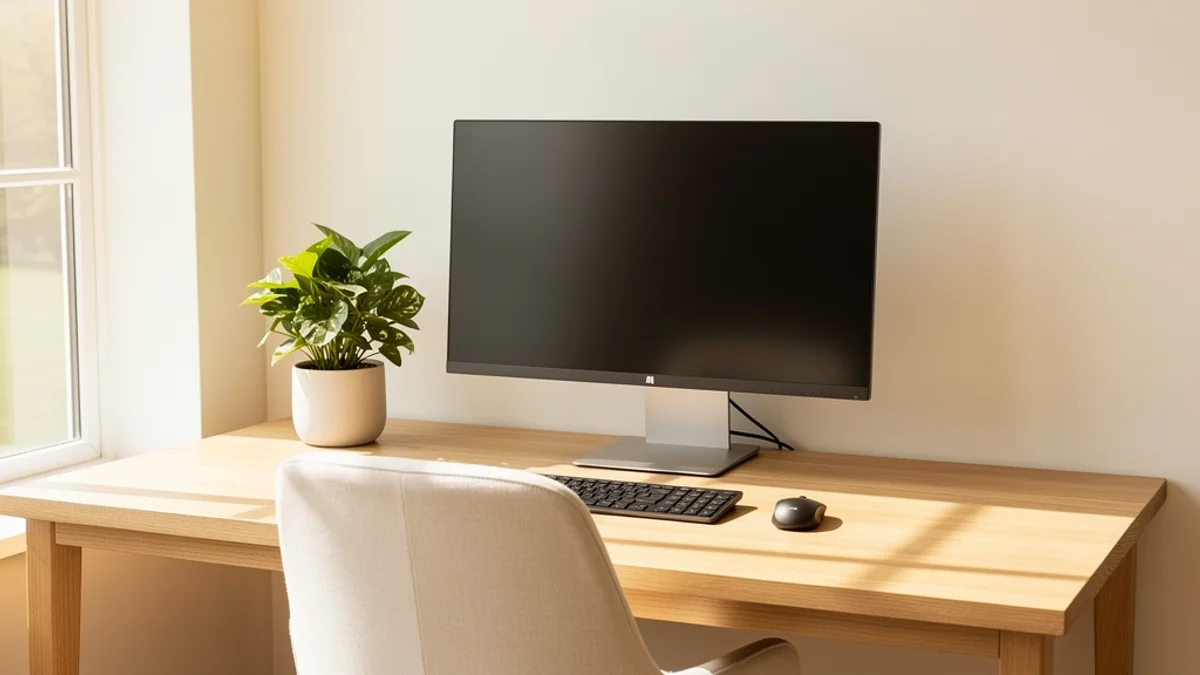
- Get the screen to eye level. Prop the laptop on a stack of textbooks, a shoebox, or a cheap folding laptop stand until the top of the screen is roughly level with your eyes. You already own the textbooks; this fix is free.
- Add an external keyboard and mouse. Once the screen is raised, you need a keyboard at hand height, because reaching up to the laptop’s built-in keyboard is its own problem. A basic wired keyboard and mouse cost less than a textbook and are the single best ergonomic upgrade a student can make. Our budget home-office guide covers doing this cheaply.
- If you have no kit at all, at least tilt and lift. No stand, no spare keyboard, mid-exam-panic? Raise the laptop on books and lean back so you are not curled over it. That alone beats the flat-on-the-desk default.
Stop Studying on Your Bed
The bed is the student’s version of the designer’s couch: the most comfortable place to start and the worst place to spend six hours. A laptop on your thighs while you slump against a headboard stacks every bad position at once - deep neck flexion, a fully rounded lower back, no support anywhere. An occasional evening of reading in bed is fine. But as your main study setup, it does more damage per hour than anything else on this list. Get to a desk or a table, even a borrowed one.
Make the Library and Lecture Hall Work
You do not control library furniture, but you control how you use it. Pull the chair right in so your back meets the backrest instead of leaning out over the table. Bring a small bag or a rolled hoodie and wedge it behind your lower back for lumbar support - a free, portable fix that travels to any chair on campus. Raise your laptop on a stack of borrowed books here too. And read paper held up rather than flat: lift the book or prop it against your bag so your eyes come to it, instead of your neck folding down to the book.
Sit So Your Body Can Last the Session
Once the screen is sorted, the rest is about a sitting position you can actually hold for hours.
- Back to the backrest. The most common study posture is perching forward on the edge of the seat, hunched over the desk. Slide back so your lower back is supported. If the chair has no lumbar curve, that rolled hoodie does the job.
- Feet flat, knees roughly level with hips. Dangling feet or crossed legs slowly pull your pelvis out of position. If your feet do not reach the floor, a backpack or a stack of books under them works.
- Screen at arm’s length, top of screen near eye level. Far enough that you are not craning in, high enough that your head stays up rather than tipping forward all session.
- Drop your shoulders. Notice them creeping up toward your ears as the deadline gets closer - that is tension, and it becomes upper-back and neck pain. A conscious shoulder drop every so often costs nothing.
There is no single magic posture, and you should not try to hold a rigid one. Any position held for four straight hours becomes a bad one. That is what the next section is about.

Take Breaks - Especially During the Cram
The longer you sit frozen, the worse both your back and your studying get. Prolonged static sitting is exactly the pattern the student-pain research flags, and it is also terrible for retention - the brain does not absorb hour six the way it absorbed hour one.
Break up the stillness on a schedule, because you will not feel the need to until the damage is done:
- Stand and move every 30 to 45 minutes. Set a timer. Stand up, walk to the kitchen, roll your shoulders, look out a window. Sixty seconds resets your posture and your focus at once. Pairing study blocks with breaks this way is the same logic behind the Pomodoro technique and the 20-8-2 rule for desk workers - movement built into the structure rather than left to willpower.
- Use the 20-20-20 rule for your eyes. Every 20 minutes, look at something 20 feet away for 20 seconds. Your eyes take the same beating as your neck during a long session.
- Do a 60-second reset. A few chin tucks, a doorway chest stretch, and a couple of shoulder rolls undo a surprising amount of a hunched hour. You do not need a routine; you need to interrupt the freeze.
The catch is the one every student already knows: you will not remember any of this. When you are deep in a deadline, the part of your brain that tracks time and notices your aching back has switched off. That is exactly when reminders stop working.

The Awareness Problem (And Why Reminders Fail)
Everything above is solvable with a few quid of kit and a bit of setup. The hard part is different.
You can know every fix in this guide and still finish a six-hour session folded in half. Good posture across a long session is hundreds of small decisions made by a brain that has gone fully into the essay. Timer-based break apps help a little, but they fire on a fixed clock whether you are mid-slouch or sitting perfectly, and most students mute them by week two of term. A reminder that fires when you do not need it teaches you to ignore it.
That gap is exactly why I built SitApp. It uses your webcam and AI-powered slouch detection to watch your actual posture and nudge you only when you genuinely start to hunch over the laptop - not on a fixed timer that nags during your good stretches. You calibrate it once on your own good and bad posture, and then the Droid keeps watch so you do not have to. And because students live with a webcam pointed at them all day, the part that matters most: it runs entirely on your machine, and no images or visual data ever leave your device. If you are wary of any camera-based tool - and on a shared student network you should be - our health app privacy guide lays out exactly what to check first.
Most students who sort this out end up with the same stack: laptop raised to eye level, a cheap external keyboard, a hoodie behind the lower back, real breaks on a timer, and one awareness cue that survives a flow state. Any one of those alone does something. All of them together is what actually moves the needle. (The same problem hits people the moment they start desk careers - our posture tips for developers covers the coding version, and the proper desk posture guide covers the fundamentals in depth.)
FAQ
How should I sit when studying for a long time?
Back against the backrest with lumbar support (a rolled hoodie works), feet flat on the floor, knees roughly level with your hips, and your screen at arm’s length with the top near eye level so your head stays up instead of dropping down. The single biggest fix is raising your laptop screen and adding an external keyboard. But no position is good if you hold it for hours - move every 30 to 45 minutes.
Why does my back hurt after studying?
Almost always prolonged static sitting in a hunched position - perched forward, curled over a low laptop, with no back support. The student-pain research consistently links low back and neck pain to long sitting time and poor posture. Raise your screen, support your lower back, and break up the stillness; the pain is usually mechanical and tends to ease once the setup improves and you start moving regularly.
Is studying in bed bad for your posture?
The occasional evening of reading in bed is fine. As your main study setup, though, it is one of the worst positions you can hold for hours - a laptop on your lap while you slump against a headboard combines deep neck flexion, a rounded lower back, and zero support all at once. Move to a desk or table for long sessions and save the bed for light reading.
How often should students take study breaks?
Aim to stand and move every 30 to 45 minutes, with a quick 60-second posture reset, plus the 20-20-20 rule for your eyes every 20 minutes. Breaks help both your back and your retention - the brain does not learn well in hour six of a frozen marathon. Remembering during a deadline is the hard part, so set a timer or use a posture-aware tool rather than trusting yourself to notice.
Can I fix my posture without buying anything?
Mostly, yes. Raise your laptop on a stack of textbooks you already own, wedge a rolled hoodie behind your lower back, pull your chair fully in, prop books up so your eyes come to them, and set a free timer to stand every 30 to 45 minutes. A cheap external keyboard is the one upgrade worth paying for, but the highest-impact fixes are free.
Does looking down at my phone count too?
Yes, and it adds up fast. The “study break” spent scrolling with your head tipped down loads your neck just like the laptop does - that 2023 Saudi study found that two-handed phone use with a large downward neck tilt was associated with more than double the musculoskeletal pain risk (odds ratio 2.28). Hold the phone up toward eye level, and count phone time as neck time, not rest from it.
The Bottom Line
Studying is uniquely good at sneaking you into a hunch. You study everywhere except a proper desk, the laptop forces your head down, the sessions run for hours, the phone piles on more neck time, and nobody ever taught you the fixes. The result shows up in the data: most students already have back or neck pain before they have left university.
The fixes, happily, are cheap and mostly one-time:
- Fix the laptop. Raise the screen to eye level and add an external keyboard so you stop studying with your head dropped.
- Get off the bed. Study at a desk or table; save the bed for light reading.
- Support your back. Sit back into the chair, add a rolled hoodie for lumbar support, feet flat.
- Make any chair work. A bag behind your back and a book stack under your laptop travel to the library, the lecture hall, anywhere.
- Break up the stillness. Move every 30 to 45 minutes - it helps your back and your studying.
- Layer in awareness. Use a cue that survives a deadline, because willpower won’t.
Do those and the aches that feel like the price of getting your degree tend to fade. The majority of student back and neck pain is mechanical - which means it is also fixable, and the fixes mostly cost nothing. Worth sorting out now, while you still have years of desk work ahead of you.
One last thing: SitApp’s free tier gives you an hour of on-device AI posture monitoring a day, at the price a student budget wants - nothing. It nudges you when the study slump starts, so noticing doesn’t have to be your job.
Student-specific questions - older laptops, shared housing privacy, whether free is really free - are answered on the posture app for students page.
