
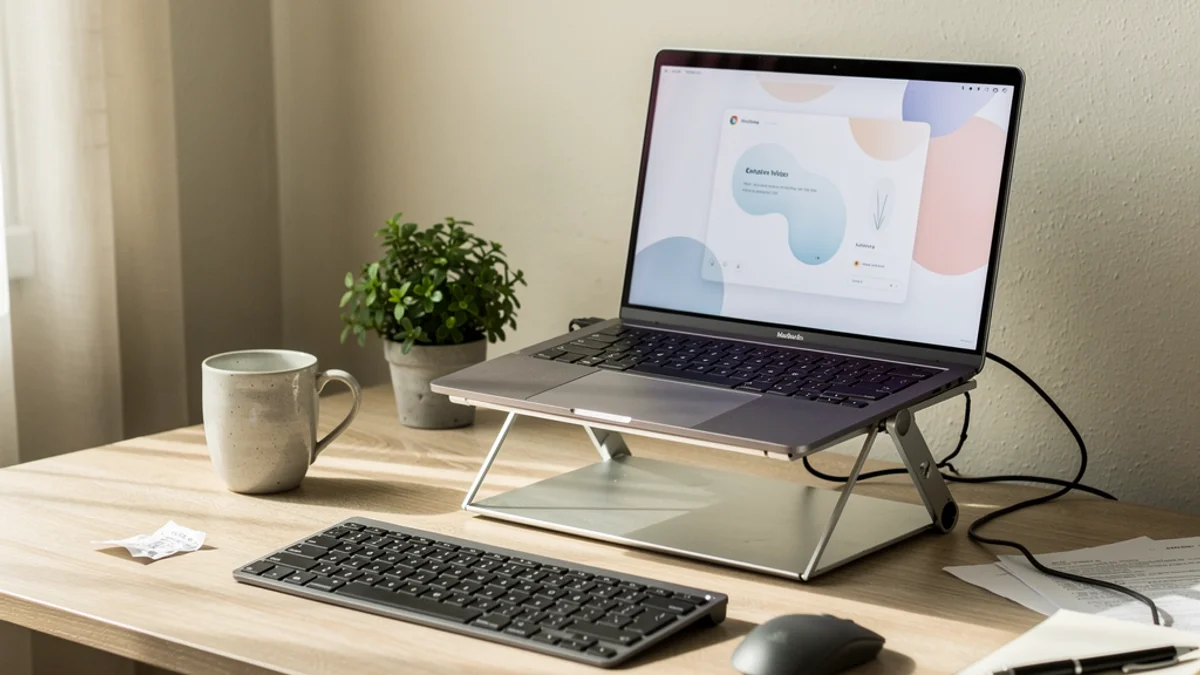
A laptop is the only computer that welds your screen to your keyboard. That’s brilliant for carrying it to a coffee shop and terrible for your spine, because there is no single height where both your eyes and your hands are happy. Raise the screen to eye level and your wrists are now reaching up to a keyboard at chin height. Drop the keyboard to a comfortable height and you’re staring down at the screen like it owes you money.
A laptop stand solves exactly one half of that problem. The trick to buying the best laptop stand for posture is understanding which half - and what you have to add to fix the other one. This guide covers what a stand genuinely does for your neck, the catch nobody mentions, which type to buy at every budget in 2026, and the single rule that turns a stand from an expensive shelf into a real posture fix.
Why a Laptop Wrecks Your Posture in the First Place
Sit down at a laptop on a normal desk and the screen lands somewhere around belly-to-chest height. To read it, you tilt your head forward and down. Hold that for eight hours and you’ve built the perfect machine for tech neck.
The strain isn’t subtle. As Cleveland Clinic explains, “looking down at your smartphone or computer screen can stress muscles in your neck, shoulders and back,” and the load climbs sharply the further your head drifts forward - at a 15-degree tilt your head puts roughly 27 pounds of force through your neck, rising toward 60 pounds at steeper angles. A laptop screen sitting low on a desk practically guarantees that forward tilt, which is why so much desk-work neck and upper-back pain traces straight back to the device.
The screen height is only half the geometry. The keyboard being attached means that whatever you do to the screen, you do to your hands too. That coupling is the whole reason laptops are an ergonomic compromise - and the whole reason a stand alone can’t be the complete answer. (More on that in a minute, because it’s the part most “best laptop stand” lists skip.)

What a Laptop Stand Actually Fixes - and What It Doesn’t
Raising the screen genuinely works.
The ergonomic target is simple and well established. Per OSHA’s computer workstation guidance, “the top of the monitor should be at or slightly below eye level,” with the center of the screen about 15 to 20 degrees below horizontal eye level. A laptop stand exists to lift the built-in screen up toward that line so you stop craning down.
And the payoff shows up in the muscles. A 2024 study in the journal Work found that raising laptop screen height reduced activity in the splenius capitis (a key neck extensor) and upper trapezius, delayed the onset of neck-muscle fatigue, and lowered the mechanical load (torque) on the spine at the upper-back and lower-back levels. A higher screen makes your neck work less hard to hold your head up.
So that’s what a stand fixes - the screen half. What it doesn’t fix is the half it drags along for the ride. Lift the laptop and you’ve also lifted its keyboard and trackpad up to that same too-high position. Now your shoulders shrug, your elbows float, and your wrists bend back to reach the keys. You’ve traded a neck problem for a shoulder-and-wrist problem. A stand on its own doesn’t improve your posture so much as relocate the strain.
The One Rule That Makes a Laptop Stand Work
A laptop stand only helps your posture when you pair it with an external keyboard and mouse.
OSHA’s guidance on this is blunt: “if laptops are to be used as primary work computers where intensive keyboard use is necessary, provide auxiliary, full-sized, keyboards and monitors.” The stand puts the screen at eye level. The external keyboard and mouse let your hands drop back down to elbow height where they belong. Together they turn a laptop back into something shaped like a healthy desktop setup - and a stand without them just moves the strain from your neck to your shoulders.
The research backs the combination specifically. In a controlled study published in the International Journal of Human-Computer Interaction, researchers compared a normal laptop setup against one where the screen was raised on a riser and an external keyboard was added. The adjusted setup reduced cervical (neck) flexion by 4.53 degrees and thoracic (upper-back) flexion by 3.14 degrees, and cut activity in the deep neck and back muscles (cervical erector spinae by 10.31%, multifidus by 15.57%). The tested intervention was the riser and the keyboard together.
So when you budget for a laptop stand, budget for a $25 keyboard and a $15 mouse in the same breath. The stand is maybe two-thirds of the cost of fixing your laptop posture, and it’s the less important two-thirds.
The Features That Actually Matter
Once you accept that a stand is half of a two-part system, choosing one gets easy. Ignore the marketing and check four things.
1. Height range. The whole job is getting the top of your screen to eye level. How high that needs to go depends on your height and your chair, but most people need the laptop lifted four to seven inches, sometimes more. A stand that only raises the screen an inch or two is a wrist rest, not a posture fix. Check the maximum height and be honest about whether it reaches your eyeline.
2. Stability. You’re typing on a keyboard in front of the stand, not on the laptop itself, so the laptop just sits there - but a wobbly stand is a daily annoyance and a temptation to abandon the setup. Aluminum stands and well-built folding stands stay planted. The cheapest plastic ones can flex.
3. Type and portability. A fixed aluminum stand is rock-solid for one desk. A folding travel stand collapses into a bag for people who move between a desk, a sofa, and an office. A vertical dock is for people who run an external monitor and only need the laptop screen occasionally. Match the stand to how you actually work, covered below.
4. Ventilation. Most stands lift the laptop into open air, which helps it run cooler than it does flat on a desk. Closed-back plastic risers that trap heat are worth avoiding, especially for anything that pushes the processor.
What you can ignore: the number of “ergonomic angles,” RGB lighting, and anything sold primarily on looks. The geometry is the product.
Best Laptop Stands for Posture by Type (2026)
There’s no single best stand - there’s the best stand for how you work. Below are the categories that consistently come up in ergonomics roundups, with representative examples and approximate 2026 street prices. Prices move constantly with sales, so treat them as ballpark and check the live retailer page before buying.
| Type | Example | Approx. price (2026) | Best for |
|---|---|---|---|
| Improvised riser | A stack of books or a sturdy box | $0 | Trying the idea before you spend anything |
| Fixed aluminum stand | Rain Design mStand | ~$45-60 | A permanent home or office desk |
| Folding travel stand | Nexstand K2, Roost V3 | ~$30-90 | Moving between desk, sofa, and office |
| Vertical / closed dock | Various clamshell docks | ~$30-50 | People who mostly use an external monitor |
| Sit-stand laptop riser | Adjustable gas-spring risers | ~$120+ | Alternating between sitting and standing |
A few honest notes on the categories. The stack of books genuinely works and is the right first move - prove the height fixes your neck before you spend a penny. A fixed aluminum stand is the best value for a setup that doesn’t move; it’s stable, ventilated, and you’ll forget it’s there. A folding travel stand is the pick if your laptop follows you around, with budget options around $30 and premium ultralight ones near $90. A vertical dock only makes sense if you have a separate monitor doing the real work, since it hides the laptop screen entirely. And a sit-stand riser earns its higher price only if you’ll actually alternate positions - the benefit of standing comes from switching, not from standing all day.
Whichever you choose, the rule from the last section still holds: none of them improve your posture without an external keyboard and mouse in front of them.
How to Set Up Your Laptop Stand for Good Posture
Two minutes of setup is what makes it actually work.
- Raise the screen to eye level. Adjust the stand (or add a book under it) until the top of the laptop screen is at or just below your eye level when you’re sitting upright. Your gaze should fall slightly downward to the center of the screen, not down to your lap.
- Set the viewing distance. Keep the screen roughly an arm’s length away - OSHA suggests a 20-to-40-inch range. If raising the laptop pushed it too close, slide the stand back.
- Drop your hands to a keyboard. Put the external keyboard flat on the desk, directly in front of you, at a height where your elbows sit around 90 to 110 degrees and your forearms run parallel to the floor. Shoulders relaxed, not shrugged.
- Keep the mouse beside the keyboard. Same surface, within easy reach, so you’re not stretching sideways.
- Sit back. With the screen up and the keyboard down, you should be able to sit back against your chair’s lumbar support instead of perching forward. If you’re still leaning in, the screen is probably too far or too low.
That’s the entire setup. It’s the same geometry as the rest of a good desk posture arrangement, just rebuilt around a device that wasn’t designed for it.
The Part No Laptop Stand Can Fix
Gear reviews stop at the stand.
A laptop stand holds your screen at the right height. It does nothing about the person sitting in front of it. You can set everything up perfectly - screen at eye level, keyboard at elbow height, chair dialed in - and twenty minutes into a focus session you’ll have slid forward in your seat, rounded your shoulders, and pushed your head toward the screen anyway. The stand doesn’t notice. It sets the ceiling for your posture but can’t make you live up to it. The same is true for every ergonomic chair and every standing desk - the equipment fixes the geometry, but drifting is a habit, and habits need a nudge.
SitApp was built for exactly that gap. It uses your existing webcam to learn what your good posture looks like, then gives you a gentle nudge the moment your shoulders start creeping forward or your head drops toward the screen - the slouch your brand-new stand can’t see. The processing happens entirely on your device. No video or image data ever leaves your machine.
A stand and a keyboard sort the workspace. Staying in a good position once you’re deep in work is a different problem.
Frequently Asked Questions
Does a laptop stand really help your posture?
Yes - but only as half of the fix. Raising the screen toward eye level measurably reduces neck-muscle activity and spinal load, according to a 2024 study in Work. The catch is that lifting the laptop also lifts its keyboard, so a stand only improves your overall posture when you add an external keyboard and mouse to bring your hands back down.
Do I really need an external keyboard with a laptop stand?
Almost always, yes. OSHA recommends full-sized auxiliary keyboards for laptops used as primary computers. Without one, the stand puts your keyboard at chin height and trades neck strain for shoulder and wrist strain. A cheap external keyboard and mouse are what make the stand worth buying.
Can I just stack books instead of buying a stand?
Yes, for getting the height right. A stack of books or a sturdy box raises the screen exactly like a stand does, and it’s the smartest way to test whether the higher screen helps your neck before you spend money. A dedicated stand mainly buys you stability, ventilation, and a smaller footprint.
What height should my laptop be on a stand?
The top of the screen should sit at or just slightly below your eye level when you’re sitting upright, with the center about 15 to 20 degrees below your horizontal line of sight, per OSHA. For most people that means lifting the laptop four to seven inches. Keep it about an arm’s length away.
Is a vertical laptop stand good for posture?
Only if you use an external monitor. A vertical stand holds the laptop closed or on its side to save desk space, which hides the laptop screen entirely - fine when a separate monitor at eye level is doing the work, useless if the laptop screen is your only display.
The Stand You’ll Actually Use
The best laptop stand for posture isn’t the most expensive one or the one with the most adjustment points. It’s a stable stand that lifts your screen to eye level, paired with a keyboard and mouse that let your hands drop back down - and that you’ll actually keep using.
- Today: Stack some books under your laptop until the top of the screen hits eye level, and pull a spare keyboard out of a drawer. Cost: $0. Notice how your neck feels by mid-afternoon.
- This week: If the height helps, buy a proper stand that reaches your eyeline plus a basic external keyboard and mouse. Budget for all three, not just the stand.
- Next few weeks: Build the habit that no stand can buy you - sitting back, screen up, and catching yourself when you drift forward.
A laptop was never designed to be kind to your spine. A stand and a keyboard fix the geometry. The remaining problem - staying in that position once you’re deep in work - is the one you can’t solve with hardware. Try SitApp free and let your webcam handle the catching-yourself part.
