
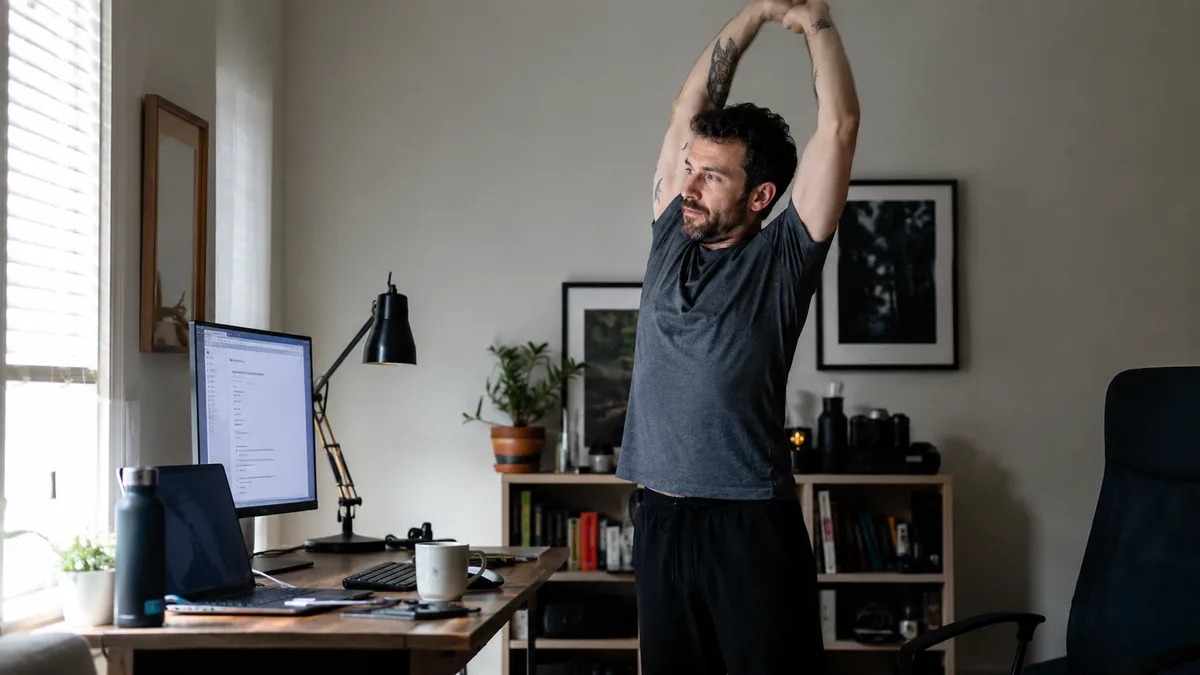
Workrave has been reminding people to take breaks for over twenty years. It’s free, open source, and reliable. It also officially supports only Windows and Linux, which is the wall most people hit: they switched to a Mac and Workrave didn’t come along. The rest either want something that looks designed this decade, or have noticed that dutiful breaks haven’t fixed their neck.
Here are the five alternatives worth considering, grouped by what they’re actually good at.
Full disclosure: I built SitApp, one of the apps below. It’s also the one entry that isn’t a break timer, and I’ll be clear about when a plain break timer is the better pick.
What Workrave Actually Does Well
Worth naming before replacing it. Workrave’s micro-breaks and rest breaks target repetitive strain injury, and the evidence for that approach is solid: a randomised trial in the Scandinavian Journal of Work, Environment & Health found 55% of workers using break-reminder software recovered from neck and upper-limb complaints versus 34% of controls. It also tracks daily usage limits, which almost no modern app bothers with.
If that’s what you need, your replacement should do scheduled breaks well. If what you need is posture help, no break timer will provide it - that’s a different tool category, covered at the end.
The 5 Best Workrave Alternatives
1. Stretchly - the direct replacement
Platforms: Mac, Windows, Linux Pricing: Free (open source, BSD)
Stretchly is the obvious first stop: open source like Workrave, free like Workrave, but cross-platform (including Mac) and considerably nicer to look at. It does micro-breaks and longer breaks on configurable intervals, shows stretching ideas, can block your screen during breaks, and lets you postpone or skip when a break lands badly.
What it lacks from Workrave: the daily usage limit and the RSI-specific exercise regimen. For most people switching, neither is a dealbreaker.
Best for: Anyone who wants Workrave, but modern and on every OS. This should be your default pick for a like-for-like swap.
2. LookAway - the polished Mac option
Platforms: Mac only (macOS 13+) Pricing: $19 one-time, 7-day trial
If you left Workrave because you moved to a Mac, LookAway is the premium answer. Its breaks are context-aware: it waits when you’re on a call, watching video, or gaming, pauses when you step away, and syncs to your iPhone. It adds blink reminders and timed posture nudges on top of eye breaks.
It costs money ($19 once, not a subscription) and it’s Mac-only, but it’s the best-behaved break timer on this list - the one least likely to interrupt a meeting.
Best for: Mac users willing to pay once for break scheduling that respects their calendar.
3. SitApp - when breaks aren’t the actual problem
Platforms: Mac, Windows, Linux Pricing: Free (1 hr/day, permanent) | Pro $3.99/mo or $34.99/yr
This is where the list changes direction. Workrave addresses sitting too long. It has no idea whether you’re sitting badly - it fires on schedule whether your posture is perfect or collapsed. If you’re leaving Workrave because your neck and back still hurt despite dutiful breaks, the missing piece is what happens between breaks. A 2025 Nature study put work-related musculoskeletal problems at just over 80% of office workers, and the slouching that drives them happens mid-session, invisible to any timer.
SitApp uses your webcam and on-device AI to detect actual slouching in real time - calibrated to your body, alerting only when you drift. No images leave your machine. It includes break reminders too, but detection is the point. Don’t expect the research to settle it for you: the one randomised trial of biofeedback in young adult computer users found no benefit over a control group, and the 2026 review of 14 biofeedback studies behind this kind of feedback is short-term.
It requires a webcam, and it’s not open source - the two honest reasons a Workrave user might pass.
Best for: People whose real problem is slouching, not skipped breaks.
Try SitApp free - Mac, Windows, and Linux.
4. BLiiNK - the all-in-one desk health bundle
Platforms: Mac (M1/M2 only), Windows Pricing: From $3.99/month (trial only, no free tier)
BLiiNK spreads wider than any single break timer: stretch prompts, hydration nudges, blink-rate tracking, screen-distance monitoring, and webcam-based posture detection in one app. If Workrave was your all-purpose “keep me healthy at this desk” tool, BLiiNK is the modern maximalist version of that idea. By the company’s own measure, users see a 41% decrease in neck and back pain after three months.
The catches: no Linux, no Intel Macs, and no permanent free tier - a notable step down from open-source Workrave on the price axis.
Best for: People who want every desk-health habit nudged by one app and don’t mind paying monthly.
5. PostureMinder - the zero-commitment option
Platforms: Any OS with Chrome Pricing: Free
A Chrome extension that pings you at set intervals to sit up and move. No installation beyond the browser, no webcam, no configuration to speak of. It’s the least capable entry here, but if Workrave felt like too much machinery for “remind me to move sometimes”, this is the minimum viable version.
Best for: People who want the lightest possible reminder and nothing else.
Quick Comparison
| Stretchly | LookAway | SitApp | BLiiNK | PostureMinder | |
|---|---|---|---|---|---|
| Type | Break timer | Smart break timer | AI posture detection | Desk health bundle | Reminder pings |
| Mac | Yes | Yes | Yes | M1/M2 only | Chrome |
| Windows | Yes | No | Yes | Yes | Chrome |
| Linux | Yes | No | Yes | No | Chrome |
| Price | Free (OSS) | $19 once | Free tier / $3.99/mo | From $3.99/mo | Free |
| Open source | Yes | No | No | No | No |
| Detects slouching | No | No | Yes | Yes | No |
| Enforced breaks | Yes | Yes | No | No | No |
Which One Should You Pick?
- Like-for-like Workrave swap - Stretchly. Free, open source, all platforms.
- Moved to Mac, want the nicest option - LookAway.
- Breaks weren’t fixing the pain - SitApp, because the problem is posture rather than scheduling.
- Want every desk habit covered by one app - BLiiNK.
- Want the bare minimum - PostureMinder.
And the combination move: Stretchly for scheduled movement plus SitApp for posture detection covers both desk-health problems at once, for free. Between them you get more coverage than Workrave ever offered on its own.
Want the deeper head-to-head? We’ve compared SitApp vs Workrave and SitApp vs Stretchly directly.
FAQ
Does Workrave work on Mac?
Not officially - it supports Windows and Linux. Mac users typically switch to Stretchly (free) or LookAway (paid). Both are listed above.
Is Workrave still maintained?
Yes, it’s a community open-source project that still receives occasional updates. It’s stable rather than abandoned. People usually switch for platform support or a fresher interface, not because it broke.
What’s the best free Workrave alternative?
Stretchly. Open source, cross-platform, actively developed, and covers micro-breaks and long breaks with plenty of configuration. If you also want posture detection, SitApp’s free tier adds an hour a day of AI monitoring at no cost.
Do break reminders help with posture?
Only indirectly. Breaks reset your position, but the slouching that does the damage happens in the long uninterrupted stretches between them, and a timer can’t see it. If posture is your actual complaint, you want detection (SitApp) rather than - or alongside - scheduling (Stretchly).
