
There’s a strap in your Amazon basket. There might also be a free app tab open in another window. You’ve been hunched over this desk long enough to wonder which one actually fixes the slouch, and you’d rather not spend $50 and two weeks finding out the hard way.
This is the honest take on posture corrector vs app - what each one actually does, what the research says about both, and which is more likely to still be in your life six months from now. No affiliate push, no “9 best” roundup. Just the trade-offs, the numbers, and the bit most comparison articles skip: the two solve completely different problems, and that’s the thing that decides which one is right for you.
Short answer if you want to stop reading: a posture corrector brace is a physical training wheel, useful in short bursts. Apps work as an awareness loop - they scale with your workday instead of stopping when you take them off. Most people who stick with anything stick with the app. But there are edge cases where the brace is genuinely the right call, and this is where they are.
Posture Corrector vs App at a Glance
Here is the whole debate on one card, before we get into why.
| Factor | Posture Corrector Brace | Posture App |
|---|---|---|
| How it works | Physical straps pull shoulders back | Detects slouch and nudges you |
| Setup | Put it on, adjust straps | Install, calibrate, done |
| Feedback | Constant physical pull | Alert only when you slouch |
| Works during | Short sessions (1-3 hrs) | Whole workday |
| Cost | $25-$150 one-off | Free to $35/year |
| Muscle effect | Can weaken if over-used | Trains your own muscles |
| Privacy | No data involved | Depends on the app (webcam, cloud) |
| Portability | Bulky, visible under clothes | Invisible, lives on your laptop |
| Video calls | Often visible | Runs alongside calls |
If the short answer is all you wanted, there you go. If you want to know why the numbers in the “muscle effect” and “works during” rows are the ones that actually matter, keep reading.
How a Posture Corrector Brace Actually Works
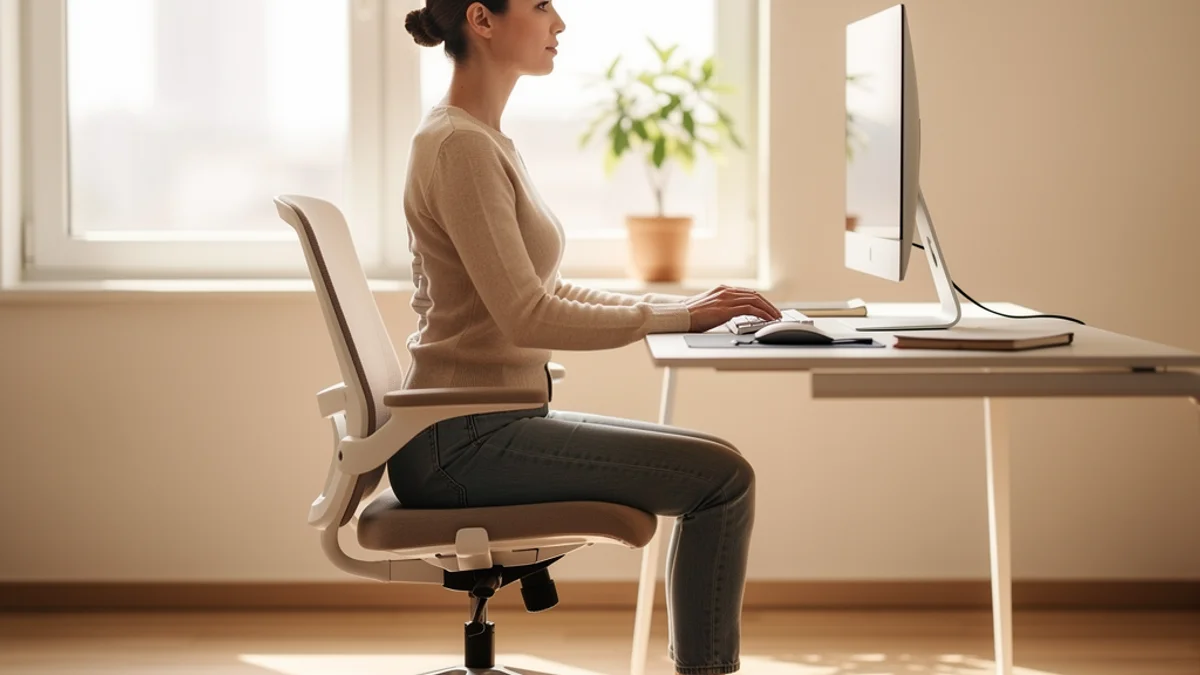
A posture corrector is usually a cloth harness with elastic straps that loop over your shoulders and across your back. When you slouch, the straps pull tighter across the front of your shoulders and passively “remind” your body to sit upright. Some versions add a magnetic bar; some are rigid; some are discreet enough to wear under a shirt.
The mechanism is entirely mechanical. There’s no intelligence, no detection, no learning. It’s a spring that pulls when you lean forward, which means it works every second you’re wearing it and stops working the moment you take it off.
A 2023 randomized controlled crossover trial published in Healthcare (Leung and colleagues, PMC10252399) tested exactly this on 30 university students doing a 30-minute typing task. The scapular brace significantly reduced bilateral lower trapezius activity during typing. But - and this is the important bit - it showed no significant differences in pain, fatigue, neck alignment, or the activity of the other muscles tested. The brace changed the physics a little. It didn’t noticeably change how the students felt.
That’s the core tension with braces. They work mechanically. Whether that mechanical change translates into less pain, better alignment, or habit formation is where the evidence gets thin.
How a Posture App Actually Works
“Posture app” covers three different things, and lumping them together is where most comparison articles go wrong.
-
Break-timer apps. These remind you to stand up every 20 or 30 minutes. Useful, but they don’t actually detect your posture - they just assume you need movement. Stretchly and Time Out fall in this bucket.
-
Wearable-paired apps. A sensor (like the Upright GO 2) sits on your upper back, detects tilt, and pushes a vibration or notification through its app. Technically you’re still wearing a device - just a smarter one than a strap. (We compared this category directly in SitApp vs Upright GO.)
-
Webcam-based posture apps. A model runs on your computer, watches your posture through the webcam, and only notifies you when you actually slouch. SitApp is in this category, and so are a few others. The important difference between them is where the detection happens - on your machine, or in someone’s cloud.
The webcam bucket is where the biggest behavioural leap has happened in the last few years. Because the camera can see you in real time, the app doesn’t guess - it knows when you’ve slouched and when you haven’t. That awareness gap is what most people are actually trying to close when they look for a posture tool (more on that below).
Worth noting the privacy trade-off here. Some webcam apps stream frames to the cloud for processing. Others do the whole thing on your device. SitApp is on-device: the Droid watches through your webcam, everything runs locally, and no images ever leave your computer. If you want the full breakdown of what to look for, we covered this in the best posture app guide. The TL;DR is that “posture detection app” is not one category, it’s at least three with different privacy implications.
What the Research Says About Each
This is the section most affiliate roundups skip. Here’s what independent sources actually say.
On braces. Consumer Reports reviewed the evidence in 2023 and called it thin. Physical therapist Scott Beadnell (Oregon Health & Science University) was blunt: “Generally, we think of those as gimmicks,” adding that in 13 years of practice he had never recommended one. The only area with solid evidence is corrective bracing for children with scoliosis - and that is a completely different product category and clinical use case.
The Hospital for Special Surgery takes a more moderate line. In their article on posture correctors, PT Christina Rodriguez describes them as “training wheels” - useful for short-term awareness, harmful if you lean on them. “You don’t want to use it as a crutch and have it ultimately do more harm than good,” she said. That framing - short bursts, combined with active strengthening - is the consensus view among physios.
On apps. The research is younger and noisier, but the signal is real. A small but data-driven two-week test of the Upright GO 2 wearable by engineer-bloggers Ryan and Alex measured 40-47% increases in chest flexibility, 42-43% improvements in back strength, and 44-67% reductions in forward head posture across two testers. Small sample, but specific and measured. Webcam app research is thinner still, which is a limitation of the category rather than a knock on the concept.
The more interesting finding is behavioural. Popular Science documented the story of Kerry Baumann, whose r/Fitness posture spreadsheet (5,300+ upvotes) helped the article’s author, Ellen Airhart, improve her posture in under a month without any device at all. Her conclusion was that anatomy-aware exercise plus awareness beat passive devices. That lines up with what every PT in the Consumer Reports piece also said.
The short version: braces have weak evidence for long-term change. Apps (especially awareness-first ones) have better evidence for the behaviour change that drives the outcome. Neither replaces the strengthening work that actually fixes posture long-term.
Posture App vs Posture Corrector: The Real Trade-offs
Here is how they actually compare on the factors that decide which one ends up in your life.
Cost over a year. A brace is $25-$150 up front, lasts 6-12 months before the elastic tires out, and that’s it. An app is typically free for the basics and $30-50/year if you upgrade. SitApp’s Pro plan is $34.99/year (or $3.99/month), and the free tier gives you an hour a day - which is enough to build the habit. Rough tie on first-year cost, edge to app over multi-year.
Time to first result. Brace wins day one: you put it on, you stop slouching, done. App wins week one: after a day or two of calibration, it catches the slouches you never knew you were doing. Different timescales for different things.
What happens when you take it off. Brace: your muscles go back to where they were because nothing trained them. App: the awareness you built carries over because you trained yourself, not a strap.
Fit with modern work. A webcam app runs alongside Zoom, Google Meet, Teams. A brace under your shirt in a meeting is fine. A brace on top of your shirt in a meeting is… a choice.
Privacy. This used to not matter. In 2026 it does. Braces have no data. Webcam apps vary wildly - some process frames in the cloud, some keep everything local. If this matters to you, SitApp’s privacy approach is the short answer: on-device detection, no images stored, no cloud processing.
Muscle dependence. The Consumer Reports and HSS experts both flag the same thing - over-reliance on passive support can weaken the muscles you are trying to train. Apps don’t have this problem because they cue your body to do the work itself.
Who Should Use Which
A brace is a reasonable fit if you:
- Want a short-term, wearable awareness cue (30-90 minute sessions, a few times a day)
- Have a specific event coming up (a talk, a shoot, a wedding) and need a quick fix
- Are pairing it with a stretching and strengthening program, and know you’ll stop wearing it in 4-6 weeks
- Don’t want anything running on your computer
A posture app is the better fit if you:
- Work at a desk for multiple hours a day
- Want something passive that only speaks up when you actually need it
- Care about privacy (and pick one that processes on your device)
- Have tried willpower and break reminders and know the issue is awareness, not knowledge
- Want to build habits that outlast the tool
If you fall into the second bucket and you’re working remote, a quick read of how to stop slouching at your desk and our proper desk posture guide will give you the ergonomic setup to pair with whichever tool you pick. The tool alone won’t outrun a monitor that’s six inches too low.
Can You Use Both at the Same Time?
Yes, and for some people this is the sweet spot. A brace for the first 30 minutes of the day to remind your body what upright feels like, an app running quietly for the rest of it to catch the drift. Think of it as scaffolding: the brace teaches the shape, the app maintains the attention.
This is also what most physios seem to endorse when pressed - short-burst passive cues plus long-term awareness plus strengthening. The order matters more than the combination, though. If you skip the strengthening, neither tool moves the needle long term. Our how long to fix bad posture piece has the actual research-backed timeline if you want to see what “long-term” really looks like.
FAQ
Do posture correctors actually work?
Short-term, yes - while you’re wearing one, you’ll stand straighter. Long-term, the evidence is thin. A 2023 RCT found braces reduced some muscle activity during typing but produced no significant change in pain, fatigue, or neck alignment. Consumer Reports’ reviewed experts called them “gimmicks.” They work best as 4-6 week training wheels, not a permanent solution.
Is a posture app better than a posture corrector brace?
For most desk workers, yes. A brace solves the “how do I sit up right now” problem for short windows. An app solves the bigger “how do I notice when I’m slouching all day” problem. The second problem is what actually drives long-term change, because you cannot correct slouching you do not notice.
Will a posture brace weaken my muscles?
It can, if you wear it all day every day. That’s why every physiotherapist quoted in reputable reviews (HSS, Consumer Reports) recommends short sessions combined with active strengthening. A brace is training wheels - fine to use, not a thing to lean on.
How much does a good posture app cost?
Most have useful free tiers. Paid plans run $25-50/year. SitApp is free forever for up to an hour a day of monitoring, or $3.99/month ($34.99/year) for unlimited and extra features. Cheaper than a single posture brace over two years, and it doesn’t wear out.
Can I use a posture app during video calls?
Yes. Webcam-based posture apps run alongside Zoom, Teams, Google Meet without conflicting. SitApp uses your webcam in parallel with the video app, and nothing leaves your computer. Wearable-paired apps (like Upright GO) don’t touch your webcam at all and are fully independent of calls.
The Bottom Line on Posture Corrector vs App
A brace solves the next hour. An app quietly accumulates over the weeks and months where the habit either sticks or doesn’t. For an event next week, buy the brace. For a career at a desk, install the app.
Neither tool works sitting in a drawer. The question is which one you’ll still be using in three months. The research on both points the same direction: the tool only works if you keep the awareness alive. A posture app that nudges you through your workday, only when you actually need it, keeps doing that without you having to remember to put it on.
If you want to try the awareness-first path with no commitment, SitApp’s free tier gives you an hour a day of on-device posture monitoring. The Droid watches through your webcam, everything runs locally (no images, no cloud, nothing leaves your computer), and you’ll catch slouches you didn’t know you were doing by the end of day one. Keep the brace option for the days your back is really complaining. And do the strengthening either way - no tool outruns that part.
