
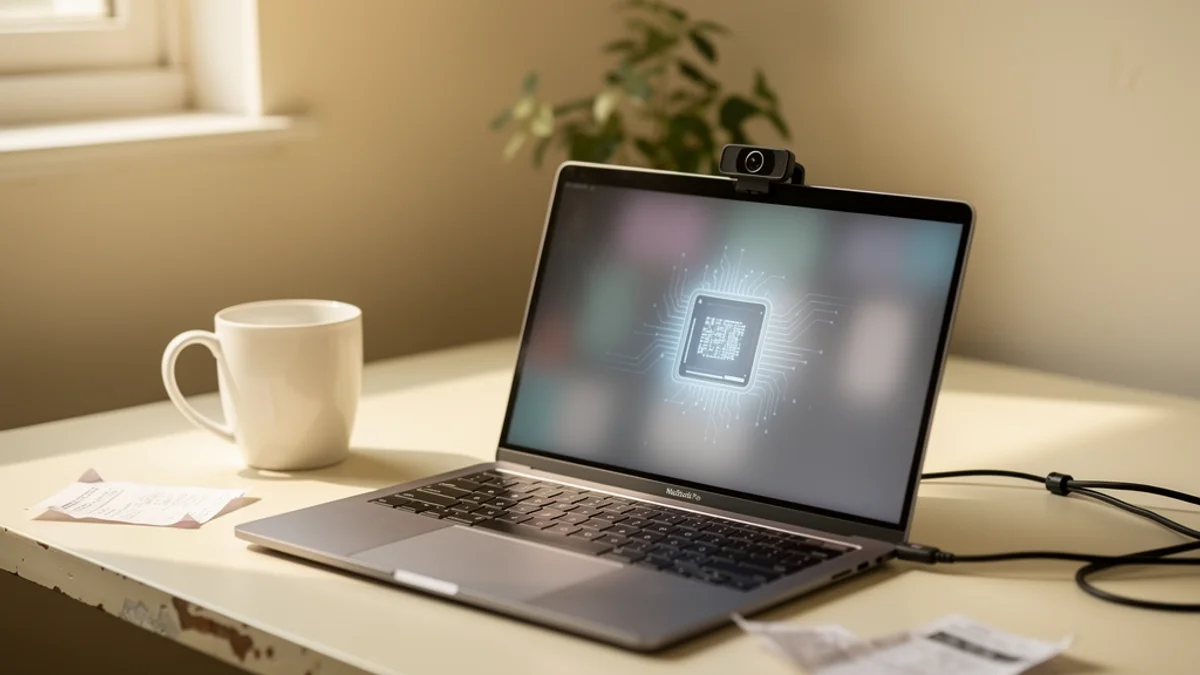
Picture the health app you use most. The one tracking your sleep, your cycle, your therapy notes, or your posture. Now ask a slightly uncomfortable question: where does that data actually go the moment you hand it over? For a huge share of health apps, the honest answer is “somewhere else” - a server you’ll never see, running code you can’t inspect, owned by a company whose business model might have very little to do with your wellbeing.
On-device AI health tools flip that arrangement. Instead of sending your data off to be processed in the cloud, they do the thinking right there on your laptop or phone, and the sensitive stuff never leaves the machine. It sounds like a small technical detail. In 2026 it’s turning into one of the most important differences between a health app you can trust and one you probably shouldn’t.
Here’s why on-device AI matters more than it used to, what the cloud-first crowd keeps getting wrong, and how to tell which kind of app you’re actually installing. If you want the broader privacy checklist first, we covered how to evaluate a webcam health app separately.
What On-Device AI Health Actually Means
On-device AI (sometimes called edge AI) means the machine learning runs locally, on the hardware in front of you, rather than on a remote server. Your phone, your laptop, your watch - the chip inside it does the inference. Nothing has to travel across the internet for the app to work.
The contrast is with cloud AI, which is how most apps have worked for the last decade. You do something, the app quietly uploads it, a data centre processes it, and the answer comes back. Convenient, cheap for the developer, and completely dependent on your raw data leaving your control.
For health apps the distinction gets sharp fast, because the input is often deeply personal: a camera feed, a heart-rate trace, a mood log, a voice recording. When that runs on-device, the raw signal stays put and only you ever see it. When it runs in the cloud, you’re trusting a chain of servers, staff, and third parties to handle your most sensitive data well. History suggests that trust is frequently misplaced. (If you’re curious how the local version works in practice, we broke down how AI posture detection runs on a normal laptop step by step.)
Cloud Health Apps Have a Data Problem
This is not a hypothetical worry. Regulators have spent the last few years handing out fines to health apps caught doing exactly what people fear.
In 2023 the FTC ordered the online therapy service BetterHelp to pay $7.8 million and banned it from sharing health data for advertising, after finding it had handed users’ email addresses, IP addresses, and mental-health questionnaire answers to Facebook and Snapchat. Around the same time, the prescription-discount app GoodRx settled for $1.5 million over sharing users’ medication and health-condition data with Facebook, Google, and the ad firm Criteo - the FTC’s first-ever enforcement under its Health Breach Notification Rule.
Those are the ones that got caught. The wider picture is worse. A 2025 security review of 272 Android healthcare apps found an average of 44 critical vulnerabilities per app, with sensitive data and hard-coded secrets exposed to third parties. And even apps that behave well are still a target: in 2024 alone, healthcare data breaches exposed more than 289 million individuals’ records, driven largely by the Change Healthcare ransomware attack that hit 192.7 million people on its own.
Then there’s the regulatory gap most people don’t know about. HIPAA, the law everyone assumes protects their health data, mostly covers doctors, hospitals, and insurers. Your consumer posture app or mood tracker usually falls outside it entirely. So the data you’d guess is the most protected thing on your phone is often the least protected, sitting on a server with no clinical-grade rules attached to it.
Every one of those failures shares a cause. The moment your health data leaves your device, it becomes something that can be sold, subpoenaed, leaked, or quietly bolted onto an ad profile. On-device AI removes that moment.
Why On-Device AI Fixes the Privacy Problem
You cannot leak, sell, or breach data you never collected. That one fact is the whole case for on-device processing, and it clears up most of the mess above.
When a health app runs its AI locally, three things change:
- There’s nothing in transit. No upload means no chance of interception, and no server-side copy waiting to be breached. The single most common failure mode for health apps - your data sitting somewhere it can be stolen - simply doesn’t apply.
- There’s nothing to sell. An app that never receives your raw data can’t quietly monetise it, because it doesn’t have it. The advertiser pipeline that got BetterHelp and GoodRx fined has no on-ramp.
- There’s nothing to hand over. Servers get subpoenaed and companies get acquired. Data that only ever existed on your own machine isn’t part of that transaction.
A cloud app can promise not to misuse your data. An on-device app doesn’t need the promise, because it never holds the raw data to begin with, so there’s nothing to misuse. When you’re weighing up a health app, “we take privacy seriously” in a policy is worth far less than “the processing happens on your device and the raw feed never leaves it.”
On-Device Also Means Faster and Offline
The privacy case is the loudest one, but on-device AI quietly wins on a few other fronts that matter day to day.
Speed. Local processing has no round trip to a server, so the response is close to instant. For anything real-time - a posture nudge the moment you slump, a live heart-rate alert - that latency difference is the whole experience. A reminder that arrives two seconds late because it went to a data centre and back is a reminder you’ve already stopped listening to.
It works offline. On a plane, in a basement office, on flaky hotel wifi, an on-device app just keeps working, because it was never relying on a connection in the first place. A cloud app degrades to a spinner.
It runs on the hardware you already own. Modern laptops and phones are genuinely powerful. The chip in a mid-range machine can run real computer-vision and health models in the background without breaking a sweat, which is exactly why on-device AI has gone from “nice idea” to “default expectation” so quickly.
The Honest Trade-offs
On-device AI is not magic, and pretending otherwise would be its own kind of dishonesty. There are real costs, and a good local-first app is one that’s dealt with them rather than ignored them.
Local models have to be small enough to run on your device, so they can’t always match the raw scale of a giant cloud model. For narrow, well-defined jobs - detecting a slouch, spotting an irregular heartbeat - that ceiling barely matters, because the task doesn’t need a frontier model. For open-ended reasoning it’s more of a limit.
On-device processing also uses your battery and your compute instead of someone else’s, though for most background health tasks the draw is small. And syncing across your devices gets trickier when the whole point is that data stays local, so local-first apps have to be thoughtful about what, if anything, they ever sync. None of these are dealbreakers for a focused health tool. They’re just the trade you make for keeping your data yours.
2026 Is the Year On-Device Went Mainstream
The reason this matters right now, and not five years ago, is that the industry has swung hard toward local processing - and the biggest player made it the headline feature.
Apple built its entire AI strategy around doing as much as possible on the device. Apple Intelligence checks first whether a request can be handled on-device, and only reaches for the cloud when it genuinely has to. For the harder cases it built Private Cloud Compute, a system explicitly designed so that even the data it does send off-device isn’t accessible to anyone - not even Apple - and isn’t retained after your request is done. Apple Watch has processed sensitive health metrics like heart rate and ECG on-device for years for the same reason.
When the most-scrutinised consumer tech company on earth decides local-first is the privacy story worth telling, the bar moves for everyone. On-device AI health has gone from a niche differentiator to something users are starting to expect, and cloud-only health apps increasingly have to explain themselves.
How to Tell If a Health App Runs On-Device
You don’t need to read source code to work out which side of the line an app sits on. A few quick checks get you most of the way:
- Read the privacy policy for specifics, not vibes. Look for plain statements like “processing happens on your device” or “your camera feed never leaves your computer.” Vague reassurance (“we care about your privacy”) usually means the interesting details are elsewhere.
- Check what it does offline. Turn off your wifi and use the core feature. If it still works, the AI is almost certainly running locally. If it breaks or stalls, it’s leaning on a server.
- Watch for account requirements. An app that forces a cloud account before it’ll do anything is often built around cloud storage of your data. Local-first tools tend to work the moment they’re installed.
- Look at what it asks to upload. Permissions and network activity tell the truth. A posture app that’s making constant outbound connections while you sit still is sending something, somewhere.
Run those four checks and most apps sort themselves into two clear piles pretty fast.
How SitApp Runs On-Device
SitApp is a posture app, and it’s a deliberately clean example of the local-first approach, because posture is about the most sensitive input there is: a live webcam feed of you at your desk.
The part that matters most happens entirely on your own computer. The AI that watches for slouching runs locally, in real time, and no image data ever leaves your machine - your webcam feed is never uploaded, never stored on a server, never sent to anyone. You calibrate by showing the Droid your good posture and your slouch, it learns what those look like for you specifically, and from then on it nudges you the instant you slump. That detection loop is closed on your desk.
Your posture stats do sync to your account - things like how often you slouched and your trends over the week, so you can see your progress across days and devices. But that’s a handful of numbers, not pictures. The raw camera feed that produced them never leaves your machine. That’s the line that matters: the sensitive part, the actual video of you at your desk, stays with you.
That local processing is also why SitApp keeps working with the wifi off, and why the nudge lands the moment you slouch rather than a beat later. The privacy win and the speed win come from the same design decision: keep the camera feed where it belongs, which is with you. You can read exactly what does and doesn’t leave your machine in our privacy policy - and the camera feed is firmly in the “doesn’t” column.
FAQ
What does on-device AI mean for a health app? It means the app’s machine learning runs on your own phone, laptop, or watch instead of on a remote server. Your raw health data - camera feed, heart rate, mood log - is processed locally and doesn’t need to leave the device for the app to work, which removes most of the privacy and breach risk that comes with cloud processing.
Is on-device AI actually more private than cloud AI? Structurally, yes. Cloud apps ask you to trust that your uploaded data gets handled well. On-device apps don’t collect the raw data in the first place, so there’s nothing to mishandle, breach, or sell. You can’t leak data that was never gathered.
Does on-device AI work without an internet connection? For its core features, usually yes. Because the processing happens locally, an on-device health app keeps working offline - on a plane, in a basement, or on bad wifi - where a cloud app would stall waiting for a server.
Are consumer health apps covered by HIPAA? Often not. HIPAA mainly applies to healthcare providers, insurers, and their partners. Most consumer wellness apps - posture trackers, mood journals, fitness tools - fall outside it, which means the data you’d assume is best protected can actually have very few rules attached. On-device processing is one way to sidestep the gap entirely.
How can I check whether an app processes my data on-device? Read the privacy policy for concrete phrasing like “processed on your device,” try the core feature with wifi off, and notice whether it demands a cloud account before it’ll do anything. Local-first apps tend to work instantly, offline, without an account.
The Bottom Line
For a decade, sending your data to the cloud was just how apps worked, and health apps quietly went along with it - even though their input is the most sensitive data most of us generate. The fines, the breaches, and the HIPAA gap are what that arrangement actually cost. On-device AI health tools are the correction: keep the raw data on the machine that produced it, do the thinking there, and never hand the sensitive feed to anyone.
In 2026 that’s no longer the hard or exotic option. It’s what a well-built health app should do, and increasingly what people expect. SitApp was built this way from the start - watching your posture through your webcam, nudging you when you slump, and keeping every frame of that on your own computer, private by design.
Try SitApp free and keep your health data where it belongs.
